Products
Product Overview
See how gWorks solutions can help your city or county.
Finance Hub
Simplified fund accounting made for local government.
HR Hub
Payroll and time-tracking made easy for local governments.
FrontDesk
Enable your citizens to interact with your government online.
Utility Billing Hub
Streamline utility billing and revenue collection with a user-friendly utility billing system.
Operations Hub
From permits to work orders, optimize all aspects of your agency's operations.
Maps Hub
Visualize assets on a map to make informed decisions and provide public transparency.
Storage Hub
Securely store all your important documents in one centralized location.
gWorks Payments
Process government payments with ease using an integrated payment processing system.
Support and
Professional Services
Trust friendly, reliable support and professional services to help you every step of the way.
Solutions
Essentials
Core
Enterprise
Company
About
Careers
Resources
All Resources
Insights
Testimonials
Events
Webinars
gWorks University
+1 (888)-608-7666
Support Login
Contact Us
Menu
Products
Cloud Solutions
Product Overview
Finance Hub
HR Hub
FrontDesk
Utility Billing Hub
Operations Hub
Maps Hub
Storage Hub
gWorks Payments
Support and Professional Services
Solutions
Solutions
Essentials
Core
Enterprise
Company
Company
About
Careers
Resources
Resources
Insights
Testimonials
Events
gWorks University
Support Login
© 2020 GIS Workshop, LLC dba gWorks
Contact Us
+1 (888)-608-7666
Interested in learning more about ULOCO by gWorks?
Click here
Insight

QuickBooks Is Going Away. Here's What That Means for Your City.

by
gWorks Editors
Fund Accounting
Municipal Government
Local Government
Online Payments
Utility Billing
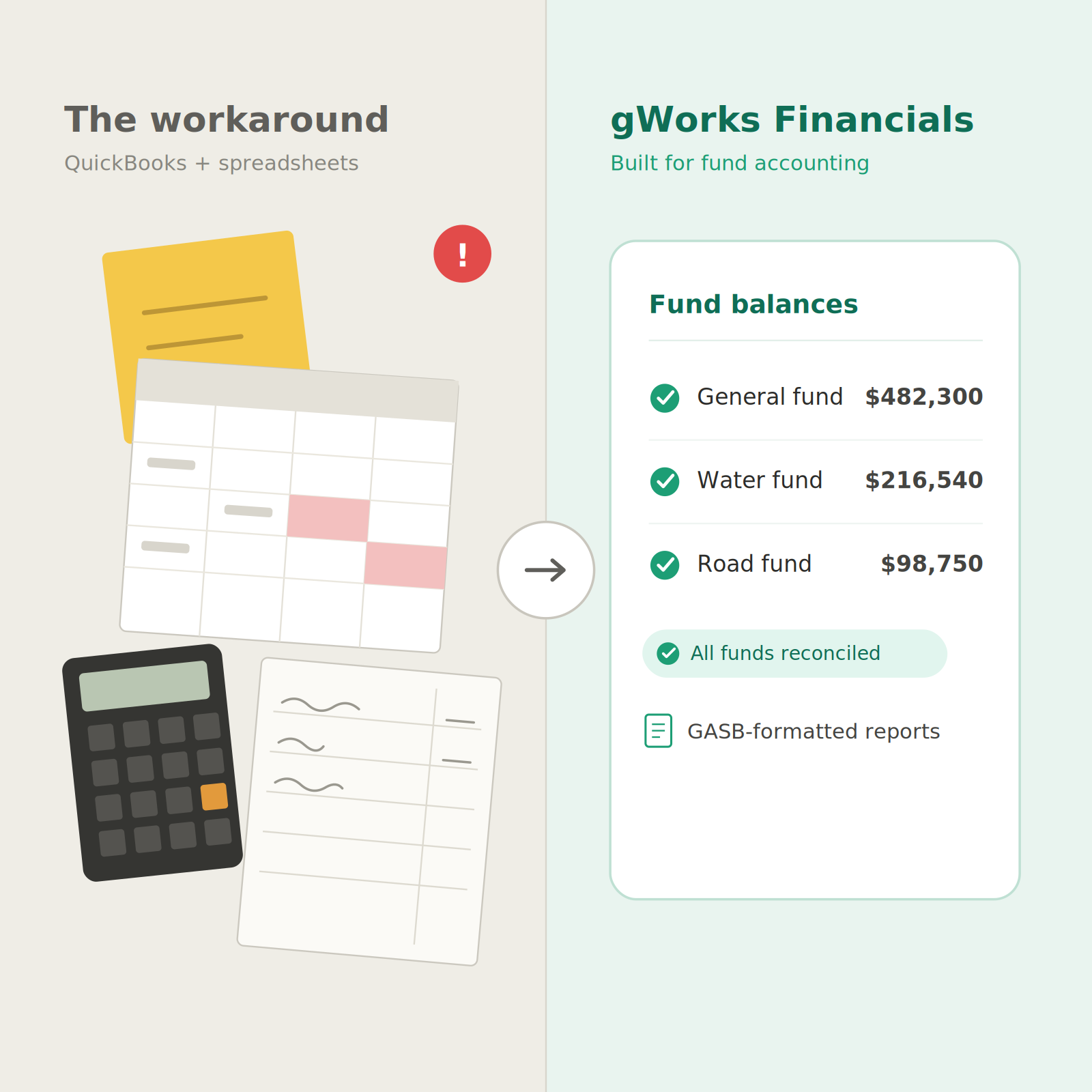
Split-screen graphic contrasting two ways to run city finances. The left half, labeled "The workaround — QuickBooks + spreadsheets," shows a cluttered, tilted pile of a spreadsheet with error-flagged cells, a sticky note, a calculator, and a handwritten ledger, with a red alert icon. An arrow points right to the half labeled "gWorks Financials — built for fund accounting," showing one tidy dashboard of General, Water, and Road fund balances each marked with a green check, plus "All funds reconciled" and "GASB-formatted reports."
Fund Accounting
Municipal Government
Local Government
Online Payments
Utility Billing
Share:

Close

TL;DR: QuickBooks was never designed for government finance. It does not support fund accounting, encumbrance tracking, or GASB-compliant reporting natively. Most municipal finance teams have been working around those gaps for years. Now there is a new reason to act: QuickBooks Desktop support ends September 30, 2027. After that, payroll tables freeze and bank feeds go dark. You have time to make a planned decision rather than a forced one, but that window closes faster than most people expect.

If your city runs fund accounting in QuickBooks, you have probably already heard the news. Intuit stopped selling new QuickBooks Desktop Pro Plus, Premier Plus, and Mac Plus subscriptions in September 2024. Support for the final Desktop release ends September 30, 2027. After that date, payroll tables freeze, bank feeds disconnect, and security patches stop.

For a lot of Finance Directors and City Clerks, that deadline is a natural moment to ask a harder question: is QuickBooks actually the right tool for municipal accounting, or have we just been making it work?

We would argue it is the latter. And we want to be honest about why.

Municipal accounting is a different discipline

QuickBooks was built for small businesses tracking profit and loss in a single set of books. Municipal accounting does not work that way. Your city manages multiple restricted funds: a general fund, a water fund, a road fund, a capital grant fund. Each one has its own budget, revenue sources, and spending rules. Every fund has to be tracked, reported, and balanced independently.

GASB standards require specific financial statements that commercial accounting software does not produce natively. Encumbrance accounting is a legal requirement, not an optional feature. It means reserving committed funds the moment a purchase order is issued. QuickBooks has no native way to do any of it.

What QuickBooks users typically end up with is a workaround stack: a spreadsheet to track fund balances, a manual log for encumbrances, hours spent rebuilding GASB-formatted reports before every audit or council meeting, and double data entry between QuickBooks and your utility billing or payroll system.

That is not a failure on your part. It is a mismatch between the tool and the job.

What the sunsetting deadline actually changes

After September 30, 2027, the software does not disappear. It still opens. What stops is everything connected to it. Payroll tax tables will not update. Bank feeds disconnect. Security patches end. For most finance teams, losing payroll and bank feeds makes the software impractical for daily use within weeks of that date.

QuickBooks Online is where Intuit is directing Desktop users next. It is worth knowing that QBO carries fewer government-specific features than Desktop. It still does not support native fund accounting, encumbrance tracking, or GASB-compliant reporting. Intuit's own documentation acknowledges that QuickBooks Online is not the right path for government entities with GASB requirements. Switching from Desktop to Online means keeping the same workarounds in a new system.

Many Finance Directors are using this window to evaluate purpose-built alternatives instead.

What gWorks Financials handles differently

gWorks Financials was built for the work small cities actually do. It was not adapted from a larger enterprise product and not borrowed from small business software.

Your chart of accounts is configured to match your state's auditor requirements before you go live. Encumbrance accounting is built in, so no spreadsheet is needed. Fund tracking, budget entry and amendments, GASB-formatted reports, and automatic year-end balance rollovers are all part of the system. When a utility billing run completes, it posts to the general ledger without re-entry. Payroll works the same way.

The results show up in measurable ways. Kendra Jantzen, Clerk/Treasurer for the Village of Adams, Nebraska (pop. 606), moved to gWorks Financials on the Cloud in July 2025. Bank reconciliation dropped from three hours to 45 minutes. Bank pay processing went from an hour to five minutes. She noted she can now do her job from home and gets support responses in a day or two, not a week.

What implementation actually looks like for a small city

The most common concern we hear is disruption. Switching accounting systems feels like a big lift, especially when the Finance Director also serves as the City Clerk.

gWorks handles the data transfer and system setup. Your historical records carry forward. Onboarding takes approximately four to eight weeks depending on your current system and data. There is no dedicated IT staff requirement. A training library with more than 30 self-paced courses covers fund accounting, bank reconciliation, budgeting, accounts payable, and year-end procedures.

Support stays personal after go-live. You know who is handling your issue, and you hear back when it matters, especially before an audit or a council meeting.

If your city is still on QuickBooks, here is what to do now

You have time before the September 2027 deadline, but migrations take longer when they happen at the last minute. Cities that start evaluating their options now have the benefit of a planned transition, not a forced one.

If you want to see what fund accounting looks like when the software was actually built for your city, we are happy to walk you through gWorks Financials. No pressure, no sales pitch. Just a look at whether it fits.

We put together a full technical comparison of gWorks Financials and QuickBooks if you want the complete breakdown. Read it here.

TL;DR: QuickBooks was never designed for government finance. It does not support fund accounting, encumbrance tracking, or GASB-compliant reporting natively. Most municipal finance teams have been working around those gaps for years. Now there is a new reason to act: QuickBooks Desktop support ends September 30, 2027. After that, payroll tables freeze and bank feeds go dark. You have time to make a planned decision rather than a forced one, but that window closes faster than most people expect.

If your city runs fund accounting in QuickBooks, you have probably already heard the news. Intuit stopped selling new QuickBooks Desktop Pro Plus, Premier Plus, and Mac Plus subscriptions in September 2024. Support for the final Desktop release ends September 30, 2027. After that date, payroll tables freeze, bank feeds disconnect, and security patches stop.

For a lot of Finance Directors and City Clerks, that deadline is a natural moment to ask a harder question: is QuickBooks actually the right tool for municipal accounting, or have we just been making it work?

We would argue it is the latter. And we want to be honest about why.

Municipal accounting is a different discipline

QuickBooks was built for small businesses tracking profit and loss in a single set of books. Municipal accounting does not work that way. Your city manages multiple restricted funds: a general fund, a water fund, a road fund, a capital grant fund. Each one has its own budget, revenue sources, and spending rules. Every fund has to be tracked, reported, and balanced independently.

GASB standards require specific financial statements that commercial accounting software does not produce natively. Encumbrance accounting is a legal requirement, not an optional feature. It means reserving committed funds the moment a purchase order is issued. QuickBooks has no native way to do any of it.

What QuickBooks users typically end up with is a workaround stack: a spreadsheet to track fund balances, a manual log for encumbrances, hours spent rebuilding GASB-formatted reports before every audit or council meeting, and double data entry between QuickBooks and your utility billing or payroll system.

That is not a failure on your part. It is a mismatch between the tool and the job.

What the sunsetting deadline actually changes

After September 30, 2027, the software does not disappear. It still opens. What stops is everything connected to it. Payroll tax tables will not update. Bank feeds disconnect. Security patches end. For most finance teams, losing payroll and bank feeds makes the software impractical for daily use within weeks of that date.

QuickBooks Online is where Intuit is directing Desktop users next. It is worth knowing that QBO carries fewer government-specific features than Desktop. It still does not support native fund accounting, encumbrance tracking, or GASB-compliant reporting. Intuit's own documentation acknowledges that QuickBooks Online is not the right path for government entities with GASB requirements. Switching from Desktop to Online means keeping the same workarounds in a new system.

Many Finance Directors are using this window to evaluate purpose-built alternatives instead.

What gWorks Financials handles differently

gWorks Financials was built for the work small cities actually do. It was not adapted from a larger enterprise product and not borrowed from small business software.

Your chart of accounts is configured to match your state's auditor requirements before you go live. Encumbrance accounting is built in, so no spreadsheet is needed. Fund tracking, budget entry and amendments, GASB-formatted reports, and automatic year-end balance rollovers are all part of the system. When a utility billing run completes, it posts to the general ledger without re-entry. Payroll works the same way.

The results show up in measurable ways. Kendra Jantzen, Clerk/Treasurer for the Village of Adams, Nebraska (pop. 606), moved to gWorks Financials on the Cloud in July 2025. Bank reconciliation dropped from three hours to 45 minutes. Bank pay processing went from an hour to five minutes. She noted she can now do her job from home and gets support responses in a day or two, not a week.

What implementation actually looks like for a small city

The most common concern we hear is disruption. Switching accounting systems feels like a big lift, especially when the Finance Director also serves as the City Clerk.

gWorks handles the data transfer and system setup. Your historical records carry forward. Onboarding takes approximately four to eight weeks depending on your current system and data. There is no dedicated IT staff requirement. A training library with more than 30 self-paced courses covers fund accounting, bank reconciliation, budgeting, accounts payable, and year-end procedures.

Support stays personal after go-live. You know who is handling your issue, and you hear back when it matters, especially before an audit or a council meeting.

If your city is still on QuickBooks, here is what to do now

You have time before the September 2027 deadline, but migrations take longer when they happen at the last minute. Cities that start evaluating their options now have the benefit of a planned transition, not a forced one.

If you want to see what fund accounting looks like when the software was actually built for your city, we are happy to walk you through gWorks Financials. No pressure, no sales pitch. Just a look at whether it fits.

We put together a full technical comparison of gWorks Financials and QuickBooks if you want the complete breakdown. Read it here.

Highlights

Start Date
End DAte
Location and Address

Website

View external link

Add to Calendar
Apple CalendarGoogle CalendarOutlook Calendar

Add to your calendar:

QuickBooks Is Going Away. Here's What That Means for Your City.

TL;DR: QuickBooks was never designed for government finance. It does not support fund accounting, encumbrance tracking, or GASB-compliant reporting natively. Most municipal finance teams have been working around those gaps for years. Now there is a new reason to act: QuickBooks Desktop support ends September 30, 2027. After that, payroll tables freeze and bank feeds go dark. You have time to make a planned decision rather than a forced one, but that window closes faster than most people expect.

If your city runs fund accounting in QuickBooks, you have probably already heard the news. Intuit stopped selling new QuickBooks Desktop Pro Plus, Premier Plus, and Mac Plus subscriptions in September 2024. Support for the final Desktop release ends September 30, 2027. After that date, payroll tables freeze, bank feeds disconnect, and security patches stop.

For a lot of Finance Directors and City Clerks, that deadline is a natural moment to ask a harder question: is QuickBooks actually the right tool for municipal accounting, or have we just been making it work?

We would argue it is the latter. And we want to be honest about why.

Municipal accounting is a different discipline

QuickBooks was built for small businesses tracking profit and loss in a single set of books. Municipal accounting does not work that way. Your city manages multiple restricted funds: a general fund, a water fund, a road fund, a capital grant fund. Each one has its own budget, revenue sources, and spending rules. Every fund has to be tracked, reported, and balanced independently.

GASB standards require specific financial statements that commercial accounting software does not produce natively. Encumbrance accounting is a legal requirement, not an optional feature. It means reserving committed funds the moment a purchase order is issued. QuickBooks has no native way to do any of it.

What QuickBooks users typically end up with is a workaround stack: a spreadsheet to track fund balances, a manual log for encumbrances, hours spent rebuilding GASB-formatted reports before every audit or council meeting, and double data entry between QuickBooks and your utility billing or payroll system.

That is not a failure on your part. It is a mismatch between the tool and the job.

What the sunsetting deadline actually changes

After September 30, 2027, the software does not disappear. It still opens. What stops is everything connected to it. Payroll tax tables will not update. Bank feeds disconnect. Security patches end. For most finance teams, losing payroll and bank feeds makes the software impractical for daily use within weeks of that date.

QuickBooks Online is where Intuit is directing Desktop users next. It is worth knowing that QBO carries fewer government-specific features than Desktop. It still does not support native fund accounting, encumbrance tracking, or GASB-compliant reporting. Intuit's own documentation acknowledges that QuickBooks Online is not the right path for government entities with GASB requirements. Switching from Desktop to Online means keeping the same workarounds in a new system.

Many Finance Directors are using this window to evaluate purpose-built alternatives instead.

What gWorks Financials handles differently

gWorks Financials was built for the work small cities actually do. It was not adapted from a larger enterprise product and not borrowed from small business software.

Your chart of accounts is configured to match your state's auditor requirements before you go live. Encumbrance accounting is built in, so no spreadsheet is needed. Fund tracking, budget entry and amendments, GASB-formatted reports, and automatic year-end balance rollovers are all part of the system. When a utility billing run completes, it posts to the general ledger without re-entry. Payroll works the same way.

The results show up in measurable ways. Kendra Jantzen, Clerk/Treasurer for the Village of Adams, Nebraska (pop. 606), moved to gWorks Financials on the Cloud in July 2025. Bank reconciliation dropped from three hours to 45 minutes. Bank pay processing went from an hour to five minutes. She noted she can now do her job from home and gets support responses in a day or two, not a week.

What implementation actually looks like for a small city

The most common concern we hear is disruption. Switching accounting systems feels like a big lift, especially when the Finance Director also serves as the City Clerk.

gWorks handles the data transfer and system setup. Your historical records carry forward. Onboarding takes approximately four to eight weeks depending on your current system and data. There is no dedicated IT staff requirement. A training library with more than 30 self-paced courses covers fund accounting, bank reconciliation, budgeting, accounts payable, and year-end procedures.

Support stays personal after go-live. You know who is handling your issue, and you hear back when it matters, especially before an audit or a council meeting.

If your city is still on QuickBooks, here is what to do now

You have time before the September 2027 deadline, but migrations take longer when they happen at the last minute. Cities that start evaluating their options now have the benefit of a planned transition, not a forced one.

If you want to see what fund accounting looks like when the software was actually built for your city, we are happy to walk you through gWorks Financials. No pressure, no sales pitch. Just a look at whether it fits.

We put together a full technical comparison of gWorks Financials and QuickBooks if you want the complete breakdown. Read it here.

TL;DR: QuickBooks was never designed for government finance. It does not support fund accounting, encumbrance tracking, or GASB-compliant reporting natively. Most municipal finance teams have been working around those gaps for years. Now there is a new reason to act: QuickBooks Desktop support ends September 30, 2027. After that, payroll tables freeze and bank feeds go dark. You have time to make a planned decision rather than a forced one, but that window closes faster than most people expect.

If your city runs fund accounting in QuickBooks, you have probably already heard the news. Intuit stopped selling new QuickBooks Desktop Pro Plus, Premier Plus, and Mac Plus subscriptions in September 2024. Support for the final Desktop release ends September 30, 2027. After that date, payroll tables freeze, bank feeds disconnect, and security patches stop.

For a lot of Finance Directors and City Clerks, that deadline is a natural moment to ask a harder question: is QuickBooks actually the right tool for municipal accounting, or have we just been making it work?

We would argue it is the latter. And we want to be honest about why.

Municipal accounting is a different discipline

QuickBooks was built for small businesses tracking profit and loss in a single set of books. Municipal accounting does not work that way. Your city manages multiple restricted funds: a general fund, a water fund, a road fund, a capital grant fund. Each one has its own budget, revenue sources, and spending rules. Every fund has to be tracked, reported, and balanced independently.

GASB standards require specific financial statements that commercial accounting software does not produce natively. Encumbrance accounting is a legal requirement, not an optional feature. It means reserving committed funds the moment a purchase order is issued. QuickBooks has no native way to do any of it.

What QuickBooks users typically end up with is a workaround stack: a spreadsheet to track fund balances, a manual log for encumbrances, hours spent rebuilding GASB-formatted reports before every audit or council meeting, and double data entry between QuickBooks and your utility billing or payroll system.

That is not a failure on your part. It is a mismatch between the tool and the job.

What the sunsetting deadline actually changes

After September 30, 2027, the software does not disappear. It still opens. What stops is everything connected to it. Payroll tax tables will not update. Bank feeds disconnect. Security patches end. For most finance teams, losing payroll and bank feeds makes the software impractical for daily use within weeks of that date.

QuickBooks Online is where Intuit is directing Desktop users next. It is worth knowing that QBO carries fewer government-specific features than Desktop. It still does not support native fund accounting, encumbrance tracking, or GASB-compliant reporting. Intuit's own documentation acknowledges that QuickBooks Online is not the right path for government entities with GASB requirements. Switching from Desktop to Online means keeping the same workarounds in a new system.

Many Finance Directors are using this window to evaluate purpose-built alternatives instead.

What gWorks Financials handles differently

gWorks Financials was built for the work small cities actually do. It was not adapted from a larger enterprise product and not borrowed from small business software.

Your chart of accounts is configured to match your state's auditor requirements before you go live. Encumbrance accounting is built in, so no spreadsheet is needed. Fund tracking, budget entry and amendments, GASB-formatted reports, and automatic year-end balance rollovers are all part of the system. When a utility billing run completes, it posts to the general ledger without re-entry. Payroll works the same way.

The results show up in measurable ways. Kendra Jantzen, Clerk/Treasurer for the Village of Adams, Nebraska (pop. 606), moved to gWorks Financials on the Cloud in July 2025. Bank reconciliation dropped from three hours to 45 minutes. Bank pay processing went from an hour to five minutes. She noted she can now do her job from home and gets support responses in a day or two, not a week.

What implementation actually looks like for a small city

The most common concern we hear is disruption. Switching accounting systems feels like a big lift, especially when the Finance Director also serves as the City Clerk.

gWorks handles the data transfer and system setup. Your historical records carry forward. Onboarding takes approximately four to eight weeks depending on your current system and data. There is no dedicated IT staff requirement. A training library with more than 30 self-paced courses covers fund accounting, bank reconciliation, budgeting, accounts payable, and year-end procedures.

Support stays personal after go-live. You know who is handling your issue, and you hear back when it matters, especially before an audit or a council meeting.

If your city is still on QuickBooks, here is what to do now

You have time before the September 2027 deadline, but migrations take longer when they happen at the last minute. Cities that start evaluating their options now have the benefit of a planned transition, not a forced one.

If you want to see what fund accounting looks like when the software was actually built for your city, we are happy to walk you through gWorks Financials. No pressure, no sales pitch. Just a look at whether it fits.

We put together a full technical comparison of gWorks Financials and QuickBooks if you want the complete breakdown. Read it here.

Highlights

Start Date
End DAte
Location and Address

Website

View external link

Add to Calendar
Apple CalendarGoogle CalendarOutlook Calendar

Add to your calendar:

QuickBooks Is Going Away. Here's What That Means for Your City.

TL;DR: QuickBooks was never designed for government finance. It does not support fund accounting, encumbrance tracking, or GASB-compliant reporting natively. Most municipal finance teams have been working around those gaps for years. Now there is a new reason to act: QuickBooks Desktop support ends September 30, 2027. After that, payroll tables freeze and bank feeds go dark. You have time to make a planned decision rather than a forced one, but that window closes faster than most people expect.

If your city runs fund accounting in QuickBooks, you have probably already heard the news. Intuit stopped selling new QuickBooks Desktop Pro Plus, Premier Plus, and Mac Plus subscriptions in September 2024. Support for the final Desktop release ends September 30, 2027. After that date, payroll tables freeze, bank feeds disconnect, and security patches stop.

For a lot of Finance Directors and City Clerks, that deadline is a natural moment to ask a harder question: is QuickBooks actually the right tool for municipal accounting, or have we just been making it work?

We would argue it is the latter. And we want to be honest about why.

Municipal accounting is a different discipline

QuickBooks was built for small businesses tracking profit and loss in a single set of books. Municipal accounting does not work that way. Your city manages multiple restricted funds: a general fund, a water fund, a road fund, a capital grant fund. Each one has its own budget, revenue sources, and spending rules. Every fund has to be tracked, reported, and balanced independently.

GASB standards require specific financial statements that commercial accounting software does not produce natively. Encumbrance accounting is a legal requirement, not an optional feature. It means reserving committed funds the moment a purchase order is issued. QuickBooks has no native way to do any of it.

What QuickBooks users typically end up with is a workaround stack: a spreadsheet to track fund balances, a manual log for encumbrances, hours spent rebuilding GASB-formatted reports before every audit or council meeting, and double data entry between QuickBooks and your utility billing or payroll system.

That is not a failure on your part. It is a mismatch between the tool and the job.

What the sunsetting deadline actually changes

After September 30, 2027, the software does not disappear. It still opens. What stops is everything connected to it. Payroll tax tables will not update. Bank feeds disconnect. Security patches end. For most finance teams, losing payroll and bank feeds makes the software impractical for daily use within weeks of that date.

QuickBooks Online is where Intuit is directing Desktop users next. It is worth knowing that QBO carries fewer government-specific features than Desktop. It still does not support native fund accounting, encumbrance tracking, or GASB-compliant reporting. Intuit's own documentation acknowledges that QuickBooks Online is not the right path for government entities with GASB requirements. Switching from Desktop to Online means keeping the same workarounds in a new system.

Many Finance Directors are using this window to evaluate purpose-built alternatives instead.

What gWorks Financials handles differently

gWorks Financials was built for the work small cities actually do. It was not adapted from a larger enterprise product and not borrowed from small business software.

Your chart of accounts is configured to match your state's auditor requirements before you go live. Encumbrance accounting is built in, so no spreadsheet is needed. Fund tracking, budget entry and amendments, GASB-formatted reports, and automatic year-end balance rollovers are all part of the system. When a utility billing run completes, it posts to the general ledger without re-entry. Payroll works the same way.

The results show up in measurable ways. Kendra Jantzen, Clerk/Treasurer for the Village of Adams, Nebraska (pop. 606), moved to gWorks Financials on the Cloud in July 2025. Bank reconciliation dropped from three hours to 45 minutes. Bank pay processing went from an hour to five minutes. She noted she can now do her job from home and gets support responses in a day or two, not a week.

What implementation actually looks like for a small city

The most common concern we hear is disruption. Switching accounting systems feels like a big lift, especially when the Finance Director also serves as the City Clerk.

gWorks handles the data transfer and system setup. Your historical records carry forward. Onboarding takes approximately four to eight weeks depending on your current system and data. There is no dedicated IT staff requirement. A training library with more than 30 self-paced courses covers fund accounting, bank reconciliation, budgeting, accounts payable, and year-end procedures.

Support stays personal after go-live. You know who is handling your issue, and you hear back when it matters, especially before an audit or a council meeting.

If your city is still on QuickBooks, here is what to do now

You have time before the September 2027 deadline, but migrations take longer when they happen at the last minute. Cities that start evaluating their options now have the benefit of a planned transition, not a forced one.

If you want to see what fund accounting looks like when the software was actually built for your city, we are happy to walk you through gWorks Financials. No pressure, no sales pitch. Just a look at whether it fits.

We put together a full technical comparison of gWorks Financials and QuickBooks if you want the complete breakdown. Read it here.

TL;DR: QuickBooks was never designed for government finance. It does not support fund accounting, encumbrance tracking, or GASB-compliant reporting natively. Most municipal finance teams have been working around those gaps for years. Now there is a new reason to act: QuickBooks Desktop support ends September 30, 2027. After that, payroll tables freeze and bank feeds go dark. You have time to make a planned decision rather than a forced one, but that window closes faster than most people expect.

If your city runs fund accounting in QuickBooks, you have probably already heard the news. Intuit stopped selling new QuickBooks Desktop Pro Plus, Premier Plus, and Mac Plus subscriptions in September 2024. Support for the final Desktop release ends September 30, 2027. After that date, payroll tables freeze, bank feeds disconnect, and security patches stop.

For a lot of Finance Directors and City Clerks, that deadline is a natural moment to ask a harder question: is QuickBooks actually the right tool for municipal accounting, or have we just been making it work?

We would argue it is the latter. And we want to be honest about why.

Municipal accounting is a different discipline

QuickBooks was built for small businesses tracking profit and loss in a single set of books. Municipal accounting does not work that way. Your city manages multiple restricted funds: a general fund, a water fund, a road fund, a capital grant fund. Each one has its own budget, revenue sources, and spending rules. Every fund has to be tracked, reported, and balanced independently.

GASB standards require specific financial statements that commercial accounting software does not produce natively. Encumbrance accounting is a legal requirement, not an optional feature. It means reserving committed funds the moment a purchase order is issued. QuickBooks has no native way to do any of it.

What QuickBooks users typically end up with is a workaround stack: a spreadsheet to track fund balances, a manual log for encumbrances, hours spent rebuilding GASB-formatted reports before every audit or council meeting, and double data entry between QuickBooks and your utility billing or payroll system.

That is not a failure on your part. It is a mismatch between the tool and the job.

What the sunsetting deadline actually changes

After September 30, 2027, the software does not disappear. It still opens. What stops is everything connected to it. Payroll tax tables will not update. Bank feeds disconnect. Security patches end. For most finance teams, losing payroll and bank feeds makes the software impractical for daily use within weeks of that date.

QuickBooks Online is where Intuit is directing Desktop users next. It is worth knowing that QBO carries fewer government-specific features than Desktop. It still does not support native fund accounting, encumbrance tracking, or GASB-compliant reporting. Intuit's own documentation acknowledges that QuickBooks Online is not the right path for government entities with GASB requirements. Switching from Desktop to Online means keeping the same workarounds in a new system.

Many Finance Directors are using this window to evaluate purpose-built alternatives instead.

What gWorks Financials handles differently

gWorks Financials was built for the work small cities actually do. It was not adapted from a larger enterprise product and not borrowed from small business software.

Your chart of accounts is configured to match your state's auditor requirements before you go live. Encumbrance accounting is built in, so no spreadsheet is needed. Fund tracking, budget entry and amendments, GASB-formatted reports, and automatic year-end balance rollovers are all part of the system. When a utility billing run completes, it posts to the general ledger without re-entry. Payroll works the same way.

The results show up in measurable ways. Kendra Jantzen, Clerk/Treasurer for the Village of Adams, Nebraska (pop. 606), moved to gWorks Financials on the Cloud in July 2025. Bank reconciliation dropped from three hours to 45 minutes. Bank pay processing went from an hour to five minutes. She noted she can now do her job from home and gets support responses in a day or two, not a week.

What implementation actually looks like for a small city

The most common concern we hear is disruption. Switching accounting systems feels like a big lift, especially when the Finance Director also serves as the City Clerk.

gWorks handles the data transfer and system setup. Your historical records carry forward. Onboarding takes approximately four to eight weeks depending on your current system and data. There is no dedicated IT staff requirement. A training library with more than 30 self-paced courses covers fund accounting, bank reconciliation, budgeting, accounts payable, and year-end procedures.

Support stays personal after go-live. You know who is handling your issue, and you hear back when it matters, especially before an audit or a council meeting.

If your city is still on QuickBooks, here is what to do now

You have time before the September 2027 deadline, but migrations take longer when they happen at the last minute. Cities that start evaluating their options now have the benefit of a planned transition, not a forced one.

If you want to see what fund accounting looks like when the software was actually built for your city, we are happy to walk you through gWorks Financials. No pressure, no sales pitch. Just a look at whether it fits.

We put together a full technical comparison of gWorks Financials and QuickBooks if you want the complete breakdown. Read it here.

Highlights

No items found.
Products / Solution
No items found.

TL;DR: QuickBooks was never designed for government finance. It does not support fund accounting, encumbrance tracking, or GASB-compliant reporting natively. Most municipal finance teams have been working around those gaps for years. Now there is a new reason to act: QuickBooks Desktop support ends September 30, 2027. After that, payroll tables freeze and bank feeds go dark. You have time to make a planned decision rather than a forced one, but that window closes faster than most people expect.

If your city runs fund accounting in QuickBooks, you have probably already heard the news. Intuit stopped selling new QuickBooks Desktop Pro Plus, Premier Plus, and Mac Plus subscriptions in September 2024. Support for the final Desktop release ends September 30, 2027. After that date, payroll tables freeze, bank feeds disconnect, and security patches stop.

For a lot of Finance Directors and City Clerks, that deadline is a natural moment to ask a harder question: is QuickBooks actually the right tool for municipal accounting, or have we just been making it work?

We would argue it is the latter. And we want to be honest about why.

Municipal accounting is a different discipline

QuickBooks was built for small businesses tracking profit and loss in a single set of books. Municipal accounting does not work that way. Your city manages multiple restricted funds: a general fund, a water fund, a road fund, a capital grant fund. Each one has its own budget, revenue sources, and spending rules. Every fund has to be tracked, reported, and balanced independently.

GASB standards require specific financial statements that commercial accounting software does not produce natively. Encumbrance accounting is a legal requirement, not an optional feature. It means reserving committed funds the moment a purchase order is issued. QuickBooks has no native way to do any of it.

What QuickBooks users typically end up with is a workaround stack: a spreadsheet to track fund balances, a manual log for encumbrances, hours spent rebuilding GASB-formatted reports before every audit or council meeting, and double data entry between QuickBooks and your utility billing or payroll system.

That is not a failure on your part. It is a mismatch between the tool and the job.

What the sunsetting deadline actually changes

After September 30, 2027, the software does not disappear. It still opens. What stops is everything connected to it. Payroll tax tables will not update. Bank feeds disconnect. Security patches end. For most finance teams, losing payroll and bank feeds makes the software impractical for daily use within weeks of that date.

QuickBooks Online is where Intuit is directing Desktop users next. It is worth knowing that QBO carries fewer government-specific features than Desktop. It still does not support native fund accounting, encumbrance tracking, or GASB-compliant reporting. Intuit's own documentation acknowledges that QuickBooks Online is not the right path for government entities with GASB requirements. Switching from Desktop to Online means keeping the same workarounds in a new system.

Many Finance Directors are using this window to evaluate purpose-built alternatives instead.

What gWorks Financials handles differently

gWorks Financials was built for the work small cities actually do. It was not adapted from a larger enterprise product and not borrowed from small business software.

Your chart of accounts is configured to match your state's auditor requirements before you go live. Encumbrance accounting is built in, so no spreadsheet is needed. Fund tracking, budget entry and amendments, GASB-formatted reports, and automatic year-end balance rollovers are all part of the system. When a utility billing run completes, it posts to the general ledger without re-entry. Payroll works the same way.

The results show up in measurable ways. Kendra Jantzen, Clerk/Treasurer for the Village of Adams, Nebraska (pop. 606), moved to gWorks Financials on the Cloud in July 2025. Bank reconciliation dropped from three hours to 45 minutes. Bank pay processing went from an hour to five minutes. She noted she can now do her job from home and gets support responses in a day or two, not a week.

What implementation actually looks like for a small city

The most common concern we hear is disruption. Switching accounting systems feels like a big lift, especially when the Finance Director also serves as the City Clerk.

gWorks handles the data transfer and system setup. Your historical records carry forward. Onboarding takes approximately four to eight weeks depending on your current system and data. There is no dedicated IT staff requirement. A training library with more than 30 self-paced courses covers fund accounting, bank reconciliation, budgeting, accounts payable, and year-end procedures.

Support stays personal after go-live. You know who is handling your issue, and you hear back when it matters, especially before an audit or a council meeting.

If your city is still on QuickBooks, here is what to do now

You have time before the September 2027 deadline, but migrations take longer when they happen at the last minute. Cities that start evaluating their options now have the benefit of a planned transition, not a forced one.

If you want to see what fund accounting looks like when the software was actually built for your city, we are happy to walk you through gWorks Financials. No pressure, no sales pitch. Just a look at whether it fits.

We put together a full technical comparison of gWorks Financials and QuickBooks if you want the complete breakdown. Read it here.

Thank you! Your submission has been received!
Oops! Something went wrong while submitting the form.

TL;DR: QuickBooks was never designed for government finance. It does not support fund accounting, encumbrance tracking, or GASB-compliant reporting natively. Most municipal finance teams have been working around those gaps for years. Now there is a new reason to act: QuickBooks Desktop support ends September 30, 2027. After that, payroll tables freeze and bank feeds go dark. You have time to make a planned decision rather than a forced one, but that window closes faster than most people expect.

If your city runs fund accounting in QuickBooks, you have probably already heard the news. Intuit stopped selling new QuickBooks Desktop Pro Plus, Premier Plus, and Mac Plus subscriptions in September 2024. Support for the final Desktop release ends September 30, 2027. After that date, payroll tables freeze, bank feeds disconnect, and security patches stop.

For a lot of Finance Directors and City Clerks, that deadline is a natural moment to ask a harder question: is QuickBooks actually the right tool for municipal accounting, or have we just been making it work?

We would argue it is the latter. And we want to be honest about why.

Municipal accounting is a different discipline

QuickBooks was built for small businesses tracking profit and loss in a single set of books. Municipal accounting does not work that way. Your city manages multiple restricted funds: a general fund, a water fund, a road fund, a capital grant fund. Each one has its own budget, revenue sources, and spending rules. Every fund has to be tracked, reported, and balanced independently.

GASB standards require specific financial statements that commercial accounting software does not produce natively. Encumbrance accounting is a legal requirement, not an optional feature. It means reserving committed funds the moment a purchase order is issued. QuickBooks has no native way to do any of it.

What QuickBooks users typically end up with is a workaround stack: a spreadsheet to track fund balances, a manual log for encumbrances, hours spent rebuilding GASB-formatted reports before every audit or council meeting, and double data entry between QuickBooks and your utility billing or payroll system.

That is not a failure on your part. It is a mismatch between the tool and the job.

What the sunsetting deadline actually changes

After September 30, 2027, the software does not disappear. It still opens. What stops is everything connected to it. Payroll tax tables will not update. Bank feeds disconnect. Security patches end. For most finance teams, losing payroll and bank feeds makes the software impractical for daily use within weeks of that date.

QuickBooks Online is where Intuit is directing Desktop users next. It is worth knowing that QBO carries fewer government-specific features than Desktop. It still does not support native fund accounting, encumbrance tracking, or GASB-compliant reporting. Intuit's own documentation acknowledges that QuickBooks Online is not the right path for government entities with GASB requirements. Switching from Desktop to Online means keeping the same workarounds in a new system.

Many Finance Directors are using this window to evaluate purpose-built alternatives instead.

What gWorks Financials handles differently

gWorks Financials was built for the work small cities actually do. It was not adapted from a larger enterprise product and not borrowed from small business software.

Your chart of accounts is configured to match your state's auditor requirements before you go live. Encumbrance accounting is built in, so no spreadsheet is needed. Fund tracking, budget entry and amendments, GASB-formatted reports, and automatic year-end balance rollovers are all part of the system. When a utility billing run completes, it posts to the general ledger without re-entry. Payroll works the same way.

The results show up in measurable ways. Kendra Jantzen, Clerk/Treasurer for the Village of Adams, Nebraska (pop. 606), moved to gWorks Financials on the Cloud in July 2025. Bank reconciliation dropped from three hours to 45 minutes. Bank pay processing went from an hour to five minutes. She noted she can now do her job from home and gets support responses in a day or two, not a week.

What implementation actually looks like for a small city

The most common concern we hear is disruption. Switching accounting systems feels like a big lift, especially when the Finance Director also serves as the City Clerk.

gWorks handles the data transfer and system setup. Your historical records carry forward. Onboarding takes approximately four to eight weeks depending on your current system and data. There is no dedicated IT staff requirement. A training library with more than 30 self-paced courses covers fund accounting, bank reconciliation, budgeting, accounts payable, and year-end procedures.

Support stays personal after go-live. You know who is handling your issue, and you hear back when it matters, especially before an audit or a council meeting.

If your city is still on QuickBooks, here is what to do now

You have time before the September 2027 deadline, but migrations take longer when they happen at the last minute. Cities that start evaluating their options now have the benefit of a planned transition, not a forced one.

If you want to see what fund accounting looks like when the software was actually built for your city, we are happy to walk you through gWorks Financials. No pressure, no sales pitch. Just a look at whether it fits.

We put together a full technical comparison of gWorks Financials and QuickBooks if you want the complete breakdown. Read it here.

Free Download

Download this guide to see how PAM can help reduce risks in your community.

Download Now
Resource

Breaking Out from Poor Government Technology

Local government has been hampered by legacy processes, disparate systems, and siloed technology. It's time to modernize the local government experience.
Read More
Insight

Transforming the Local Government Experience

At gWorks, we’re proud to work alongside veterans who bring a unique blend of dedication, leadership, and purpose to our team. Read how their military experience shapes their roles today and learn about the meaningful ways they continue to serve through public service careers
Read More
Solution

Simplified Fund Accounting for Government

Consolidate data, track revenue, expenses, maintain budgets, and generate accurate reports for better financial decisions.
See Solution
Solution

Front Desk: A modern, convenient relationship between citizen and government

Having accurate and current asset inventory data enables local government to effectively allocate resources which saves time, costs, and disruptions.
See Solution

Ready to get started? Talk with our team today

Reliable & easy-to-use solutions to help your government know what’s going on, act decisively, and benefit greatly.

Contact our team
Secure
Simple
Integrated
Empowering Local Government through Simple Software Solutions
PRODUCTS
OverviewFrontDeskPaymentsUtility Billing HubHR HubOps HubFinance HubMaps HubStorage HubPubWorksCounty WebGIS
Solutions
EssentialsCoreEnterprise
Resources
All ResourcesInsightsTestimonialsEventsWebinarsgWorks University
Company
AboutCareersContact UsRequest a ConsultationSupport Login
888-608-7666
info@gworks.com
3905 South 148th St
Ste 200
Omaha, NE 68144
Privacy PolicyTerms of UseCookie Manager
© 2020 GIS Workshop, LLC dba gWorks. All Rights Reserved

Your Privacy is important to us

Customize your cookie preferences or click “Accept All” to agree to the storing of cookies on your device. View our Privacy Policy for more information.
Preferences
Accept All
Deny
Privacy Preference Center

Below we list the different types of cookies that we use on the Site.  The specific cookies that we use, and the categories to which they belong, are available in the consent manager. To the extent any personal information is collected through cookies, our Privacy Policy applies and complements this Policy.

Always Allow Cookies
Close
Manage Consent Preferences
Required cookies enable you to navigate the Site and to use its services and features.  Without these absolutely necessary cookies, we may not be able to provide the Site or certain services or features, and the Site will not perform as smoothly for you as we would like it to.

These cookies are used to deliver advertising that is more relevant to you and your interests. They may also be used to limit the number of times you see an advertisement and measure the effectiveness of advertising campaigns. Advertising networks usually place them with the website operator’s permission.

Personalization cookies can provide a more customized experience by remembering choices a user makes, such as their language, location, or username.

These cookies allow us to analyze your use of the Site to evaluate and improve our performance, for example, by providing us information about how our site is used.

Reject AllConfirm My Choices
Thank you! Your submission has been received!
Oops! Something went wrong while submitting the form.