
QuickBooks Desktop is Ending: What Municipalities Should Do Next
QuickBooks Desktop 2023 support ended May 31, 2026. On that date, payroll tax table updates, bank feeds, and security patches stopped [13]. The software still opens, and historical records are still readable. The functions a municipal finance office depends on each pay period and each month-end no longer work correctly or safely.
Intuit increasingly steers customers toward QuickBooks Online. For most municipalities, that recommendation doesn't solve the problem. It relocates it.
This article explains what the end-of-life timeline means for a government finance office, why QuickBooks Online falls short of GASB fund accounting requirements, and what a purpose-built replacement looks like.
What you'll find here:
- The QuickBooks Desktop end-of-life timeline and what stopped working on May 31, 2026
- Why QuickBooks Online can't meet the GASB fund accounting requirements municipalities must follow
- The compliance and operational risks of running on unsupported software
- What to look for in a QuickBooks replacement built for local government
- How gWorks Financials compares to QuickBooks across the capabilities municipal finance offices depend on
QuickBooks Desktop vs. QuickBooks Online for Municipalities
Sources: Intuit [2, 7, 13]; Certum Solutions [1]; ClerkBooks [8].
The QuickBooks Desktop End-of-Life Timeline Explained
Intuit stopped selling QuickBooks Desktop to new U.S. subscribers on September 30, 2024, and is retiring support versions on a rolling three-year cycle [2]. For Desktop 2023, support ended May 31, 2026: payroll tax table updates, bank feeds, payment processing integrations, and security patches all stopped [13]. Desktop 2024 was the final non-Enterprise version Intuit released, with support estimated to end September 30, 2027, based on Intuit's consistent three-year discontinuation pattern [13]. No further versions are planned.
Historical data remains accessible after the sunset date, and the software still opens. The functions a municipal finance office runs on, however, stopped with the deadline. For cities still on Desktop 2023, that window has now closed.
Sources: Intuit [13].
Why Small Municipalities Have Relied on QuickBooks Desktop
QuickBooks Desktop was a practical workaround for small municipalities, not a custom fit. It was affordable, widely supported by local CPAs, and accessible for part-time Clerks and lean teams. State agencies across the country published QuickBooks setup guides and training resources specifically for municipalities, a sign of how deeply embedded the software became in local government regardless of whether it was ever the right tool [11]. That institutional familiarity explains how it ended up in government finance offices. Suitability for the work itself was a separate question [12].
The functionality gap was always there. Government fund accounting requires separate, self-balancing ledgers for each fund and a budget framework built around encumbrances. QuickBooks Desktop Enterprise could approximate some of this through chart-of-accounts customizations, but those workarounds required ongoing manual effort and created compliance risks under audit [8]. Utility billing was a separate system, reconciled manually every month [8]. The sunset doesn't create a new problem. It makes an existing one impossible to defer.
Sources: Intuit [7]; ClerkBooks [8].
Why QuickBooks Online Is Not the Fix for Municipalities
QuickBooks Online does not support GASB fund accounting requirements. It lacks multi-fund ledger architecture, encumbrance accounting, and utility billing. Moving to QB Online transfers your data to the cloud without resolving the capability gaps that have made QuickBooks a workaround for municipalities all along.
Municipal fund accounting requires separate, self-balancing ledgers for each fund: General Fund, Utility Fund, Capital Projects Fund, and others. QB Online has no native fund structure [7]. Government fund accounting also relies on encumbrance accounting, which reserves budget at the point a purchase order is issued, before the invoice arrives. It is a standard practice required by many states and central to accurate municipal budget management. QB Online does not offer encumbrance accounting at any subscription tier [8]. Grant tracking in QB Online requires the same manual spreadsheet approach as QB Desktop, with no improvement in audit traceability.
Utility billing does not exist in QB Online at any level. A Finance Director who makes the switch still manages utility billing in a separate system and reconciles that data manually each month. The reconciliation burden doesn't go away; staff just ends up doing it in a different system. A City Clerk who has spent years working around QB Desktop's limitations is not receiving a solution by moving to an online version of the same product with fewer government-specific capabilities. The QuickBooks Desktop sunset is the signal to find one.
Sources: Intuit [7]; ClerkBooks [8].
The Real Cost of Staying on Unsupported Software
After May 31, 2026, QuickBooks Desktop 2023 no longer receives the three things a municipal finance office cannot operate without: payroll tax table updates, bank feed connections, and security patches [13]. Historical records remain accessible and the software still opens. The functions it performs each pay period and each month-end, however, do not work correctly or safely.
Payroll compliance is the most immediate concern. Tax tables that are no longer updated fall out of sync with current IRS and state withholding schedules, and each payroll run after the sunset date increases that exposure [5]. Bank feeds disconnect, returning Finance staff to manual transaction imports and adding real time to every month-end reconciliation [6]. Security patches have stopped entirely: any vulnerability discovered in Desktop 2023 after May 31 will not be fixed, leaving locally stored financial data without active protection.
The audit exposure is less visible but equally serious. An auditor who finds that a municipality has managed its finances on expired, unpatched software may flag this as a material internal control weakness, a finding that carries into future audit cycles. The right framing for a council conversation is not "what does new software cost?" It is what staying on unsupported software costs in staff hours, compliance exposure, and data security risk.
Source: Intuit [13].
What to Look for in a QuickBooks Replacement for Local Government
Not every accounting platform works for municipalities. Here's what a replacement actually needs to include.
gWorks vs QuickBooks for Small Municipalities
gWorks is a cloud-based municipal software company headquartered in Omaha, Nebraska, named to the GovTech 100 for six consecutive years and serving more than 2,000 local government clients across 48 states [10]. The majority of those clients are under 25,000 in population; the smallest active client serves a community under 100 residents.
Fund accounting, utility billing, payroll and HR, citizen payments, and a citizen engagement portal are included in a single cloud-based system, not purchased as separate modules [9]. The platform is GASB-compliant by design. Encumbrance accounting and grant tracking are built in, with no chart-of-accounts workarounds required. That is the practical difference between software adapted for government and software built for it.
The time savings are specific. Bank reconciliation: three hours to 45 minutes. Bank pay processing: one hour to five minutes. Audit preparation: multiple boxes of physical documents to a forwarded email [9].
Many gWorks Financials clients made the switch directly from QuickBooks Desktop. gWorks handles data migration, system configuration, and training, and most clients are fully operational within 60 to 90 days [9].
*Reflects QuickBooks Desktop 2023. Desktop 2024 support is estimated to continue until September 30, 2027, based on Intuit's three-year discontinuation pattern [13].
Sources: Intuit [7]; ClerkBooks [8]; gWorks [9, 10].
The question most Finance Directors face is not whether to switch. It is whether the cost of switching is worth it. Staff hours spent on manual workarounds, audit findings from running unsupported software, and compliance exposure from outdated tax tables all carry a real price.
Implementation is a one-time, known cost. The others compound. gWorks' pricing is structured around government budget cycles with no hidden module fees, so the number you bring to council is the number that holds.
Running payroll on unpatched software after May 31 is not a cost savings. It is a known cost exchanged for an unknown one, and one of those unknowns is an audit finding.
Frequently Asked Questions
What happened to my QuickBooks data after the May 31, 2026 sunset date?
Your data remains accessible. QB Desktop 2023 still opens and historical records are readable [13]. What stopped: payroll tax table updates, bank feeds, payment processing, and security patches. Running on unpatched software with no active vendor support creates a growing data security exposure with each month that passes.
Can I just migrate to QuickBooks Online to keep my current workflows?
QuickBooks Online is designed for commercial small businesses using single-entity accrual accounting. It does not offer native GASB fund accounting, encumbrance accounting, grant tracking, or utility billing [7, 8]. Migrating to QB Online moves your data to the cloud without resolving the underlying capability gap.
How long does it take to switch to a purpose-built municipal finance system?
Most gWorks Financials clients are fully operational within 60 to 90 days [9]. gWorks handles data migration, system configuration, and training. Clients consistently report that the process was smoother than they expected.
Can gWorks migrate data out of QuickBooks?
Yes. gWorks maintains active migration pathways from QuickBooks and other legacy municipal systems [9]. The migration team handles data extraction and configuration. Your city's primary responsibilities are providing the data and participating in training, not managing a technical project on top of your regular workload.
Is gWorks Financials affordable for a small city on a limited budget?
gWorks serves cities of every size, including communities under 100 in population [9]. Pricing is designed around government budget cycles with no surprise module fees. The most useful framing for most Finance Directors is not "what does gWorks cost?" It is "what does staying on unsupported QuickBooks cost in staff time, audit risk, and compliance exposure?" That calculation typically reframes how the budget conversation with the council goes.
QuickBooks Desktop Is Ending. Here's What to Do Next.
For municipalities still running fund accounting in QuickBooks, this is the practical moment to move. The Desktop 2023 deadline has passed. Desktop 2024 support is estimated to end September 30, 2027. QuickBooks Online was not built for municipalities.
The Finance Directors and City Clerks who have made the switch to gWorks Financials describe a consistent outcome: the manual workarounds go away, the audits get easier, and the hours come back. gWorks Financials was built for the work small cities actually do, with GASB fund accounting, utility billing, government payroll, and a named support team that answers the phone.
For Finance Directors, City Clerks, and City Administrators ready to see what that looks like in practice, a short demo shows the platform in the context of your city's actual use case, including how migration from QuickBooks works and what the first 90 days look like.
Last updated: June 10, 2026
Sources
- Certum Solutions. "QuickBooks Desktop 2023 Service Ending May 2026": https://www.certumsolutions.com/library/quickbooks-desktop-2023-service-ending-may-2026
- Intuit. "QuickBooks Desktop to Stop Selling to New U.S. Subscribers": https://quickbooks.intuit.com/r/whats-new/quickbooks-desktop-stop-sell/
- SDO CPA. "QuickBooks Desktop Discontinued 2026": https://www.sdocpa.com/quickbooks-desktop-discontinued/ (Not cited in body text. Note: this source lists Desktop 2024 end date as September 30, 2027, which conflicts with Intuit's established May 31 three-year discontinuation pattern; see source [13].)
- Accountability Advisor. "QuickBooks Desktop 2023 Is Sunsetting in May 2026": https://www.accountabilityadvisor.com/post/quickbooks-desktop-2023-is-sunsetting-in-may-2026-what-business-owners-need-to-know-now
- Sponsel CPA Group. "Navigating the QuickBooks Desktop Phase-Out": https://sponselcpagroup.com/navigating-the-quickbooks-desktop-phase-out-what-business-owners-need-to-know/
- Flexpoint. "QuickBooks Desktop Support Ending": https://www.getflexpoint.com/blog/quickbooks-for-msps/desktop-support-ending
- Intuit Community. "Fund Accounting for Small Municipalities": https://quickbooks.intuit.com/learn-support/en-us/do-more-with-quickbooks/fund-accounding/00/1534483
- ClerkBooks. "About ClerkBooks": https://wp.clerkbooks.com/about-clerkbooks/
- gWorks. "6 Reasons gWorks Is the Best Choice for Small Municipal Governments": https://www.gworks.com/resource/6-reasons-gworks-is-the-best-choice-for-small-municipal-governments
- Yahoo Finance. "gWorks Named to GovTech 100 for Sixth Consecutive Year": https://finance.yahoo.com/news/gworks-named-govtech-100-sixth-150700551.html
- Township Officials of Illinois. "QuickBooks Desktop Basics for Townships" (2022 Training Presentation): https://www.toi.org/Resources/61c22f5c-ff11-4c08-b0b9-92c3b30d44db/SLIDES-TOI-Quickbooks-Training-08-25-2022.pdf
- Redman CPA. "Which QuickBooks for Your Township, Village, or Other Local Government Unit": https://redman.cpa/2019/10/21/which-quickbooks-for-your-township-village-or-other-local-government-unit/
- Intuit. "QuickBooks Desktop Service Discontinuation Policy": https://quickbooks.intuit.com/learn-support/en-us/help-article/feature-preferences/quickbooks-desktop-service-discontinuation-policy/L17cXxlie_US_en_US
QuickBooks Desktop is Ending: What Municipalities Should Do Next
QuickBooks Desktop 2023 support ended May 31, 2026. On that date, payroll tax table updates, bank feeds, and security patches stopped [13]. The software still opens, and historical records are still readable. The functions a municipal finance office depends on each pay period and each month-end no longer work correctly or safely.
Intuit increasingly steers customers toward QuickBooks Online. For most municipalities, that recommendation doesn't solve the problem. It relocates it.
This article explains what the end-of-life timeline means for a government finance office, why QuickBooks Online falls short of GASB fund accounting requirements, and what a purpose-built replacement looks like.
What you'll find here:
- The QuickBooks Desktop end-of-life timeline and what stopped working on May 31, 2026
- Why QuickBooks Online can't meet the GASB fund accounting requirements municipalities must follow
- The compliance and operational risks of running on unsupported software
- What to look for in a QuickBooks replacement built for local government
- How gWorks Financials compares to QuickBooks across the capabilities municipal finance offices depend on
QuickBooks Desktop vs. QuickBooks Online for Municipalities
Sources: Intuit [2, 7, 13]; Certum Solutions [1]; ClerkBooks [8].
The QuickBooks Desktop End-of-Life Timeline Explained
Intuit stopped selling QuickBooks Desktop to new U.S. subscribers on September 30, 2024, and is retiring support versions on a rolling three-year cycle [2]. For Desktop 2023, support ended May 31, 2026: payroll tax table updates, bank feeds, payment processing integrations, and security patches all stopped [13]. Desktop 2024 was the final non-Enterprise version Intuit released, with support estimated to end September 30, 2027, based on Intuit's consistent three-year discontinuation pattern [13]. No further versions are planned.
Historical data remains accessible after the sunset date, and the software still opens. The functions a municipal finance office runs on, however, stopped with the deadline. For cities still on Desktop 2023, that window has now closed.
Sources: Intuit [13].
Why Small Municipalities Have Relied on QuickBooks Desktop
QuickBooks Desktop was a practical workaround for small municipalities, not a custom fit. It was affordable, widely supported by local CPAs, and accessible for part-time Clerks and lean teams. State agencies across the country published QuickBooks setup guides and training resources specifically for municipalities, a sign of how deeply embedded the software became in local government regardless of whether it was ever the right tool [11]. That institutional familiarity explains how it ended up in government finance offices. Suitability for the work itself was a separate question [12].
The functionality gap was always there. Government fund accounting requires separate, self-balancing ledgers for each fund and a budget framework built around encumbrances. QuickBooks Desktop Enterprise could approximate some of this through chart-of-accounts customizations, but those workarounds required ongoing manual effort and created compliance risks under audit [8]. Utility billing was a separate system, reconciled manually every month [8]. The sunset doesn't create a new problem. It makes an existing one impossible to defer.
Sources: Intuit [7]; ClerkBooks [8].
Why QuickBooks Online Is Not the Fix for Municipalities
QuickBooks Online does not support GASB fund accounting requirements. It lacks multi-fund ledger architecture, encumbrance accounting, and utility billing. Moving to QB Online transfers your data to the cloud without resolving the capability gaps that have made QuickBooks a workaround for municipalities all along.
Municipal fund accounting requires separate, self-balancing ledgers for each fund: General Fund, Utility Fund, Capital Projects Fund, and others. QB Online has no native fund structure [7]. Government fund accounting also relies on encumbrance accounting, which reserves budget at the point a purchase order is issued, before the invoice arrives. It is a standard practice required by many states and central to accurate municipal budget management. QB Online does not offer encumbrance accounting at any subscription tier [8]. Grant tracking in QB Online requires the same manual spreadsheet approach as QB Desktop, with no improvement in audit traceability.
Utility billing does not exist in QB Online at any level. A Finance Director who makes the switch still manages utility billing in a separate system and reconciles that data manually each month. The reconciliation burden doesn't go away; staff just ends up doing it in a different system. A City Clerk who has spent years working around QB Desktop's limitations is not receiving a solution by moving to an online version of the same product with fewer government-specific capabilities. The QuickBooks Desktop sunset is the signal to find one.
Sources: Intuit [7]; ClerkBooks [8].
The Real Cost of Staying on Unsupported Software
After May 31, 2026, QuickBooks Desktop 2023 no longer receives the three things a municipal finance office cannot operate without: payroll tax table updates, bank feed connections, and security patches [13]. Historical records remain accessible and the software still opens. The functions it performs each pay period and each month-end, however, do not work correctly or safely.
Payroll compliance is the most immediate concern. Tax tables that are no longer updated fall out of sync with current IRS and state withholding schedules, and each payroll run after the sunset date increases that exposure [5]. Bank feeds disconnect, returning Finance staff to manual transaction imports and adding real time to every month-end reconciliation [6]. Security patches have stopped entirely: any vulnerability discovered in Desktop 2023 after May 31 will not be fixed, leaving locally stored financial data without active protection.
The audit exposure is less visible but equally serious. An auditor who finds that a municipality has managed its finances on expired, unpatched software may flag this as a material internal control weakness, a finding that carries into future audit cycles. The right framing for a council conversation is not "what does new software cost?" It is what staying on unsupported software costs in staff hours, compliance exposure, and data security risk.
Source: Intuit [13].
What to Look for in a QuickBooks Replacement for Local Government
Not every accounting platform works for municipalities. Here's what a replacement actually needs to include.
gWorks vs QuickBooks for Small Municipalities
gWorks is a cloud-based municipal software company headquartered in Omaha, Nebraska, named to the GovTech 100 for six consecutive years and serving more than 2,000 local government clients across 48 states [10]. The majority of those clients are under 25,000 in population; the smallest active client serves a community under 100 residents.
Fund accounting, utility billing, payroll and HR, citizen payments, and a citizen engagement portal are included in a single cloud-based system, not purchased as separate modules [9]. The platform is GASB-compliant by design. Encumbrance accounting and grant tracking are built in, with no chart-of-accounts workarounds required. That is the practical difference between software adapted for government and software built for it.
The time savings are specific. Bank reconciliation: three hours to 45 minutes. Bank pay processing: one hour to five minutes. Audit preparation: multiple boxes of physical documents to a forwarded email [9].
Many gWorks Financials clients made the switch directly from QuickBooks Desktop. gWorks handles data migration, system configuration, and training, and most clients are fully operational within 60 to 90 days [9].
*Reflects QuickBooks Desktop 2023. Desktop 2024 support is estimated to continue until September 30, 2027, based on Intuit's three-year discontinuation pattern [13].
Sources: Intuit [7]; ClerkBooks [8]; gWorks [9, 10].
The question most Finance Directors face is not whether to switch. It is whether the cost of switching is worth it. Staff hours spent on manual workarounds, audit findings from running unsupported software, and compliance exposure from outdated tax tables all carry a real price.
Implementation is a one-time, known cost. The others compound. gWorks' pricing is structured around government budget cycles with no hidden module fees, so the number you bring to council is the number that holds.
Running payroll on unpatched software after May 31 is not a cost savings. It is a known cost exchanged for an unknown one, and one of those unknowns is an audit finding.
Frequently Asked Questions
What happened to my QuickBooks data after the May 31, 2026 sunset date?
Your data remains accessible. QB Desktop 2023 still opens and historical records are readable [13]. What stopped: payroll tax table updates, bank feeds, payment processing, and security patches. Running on unpatched software with no active vendor support creates a growing data security exposure with each month that passes.
Can I just migrate to QuickBooks Online to keep my current workflows?
QuickBooks Online is designed for commercial small businesses using single-entity accrual accounting. It does not offer native GASB fund accounting, encumbrance accounting, grant tracking, or utility billing [7, 8]. Migrating to QB Online moves your data to the cloud without resolving the underlying capability gap.
How long does it take to switch to a purpose-built municipal finance system?
Most gWorks Financials clients are fully operational within 60 to 90 days [9]. gWorks handles data migration, system configuration, and training. Clients consistently report that the process was smoother than they expected.
Can gWorks migrate data out of QuickBooks?
Yes. gWorks maintains active migration pathways from QuickBooks and other legacy municipal systems [9]. The migration team handles data extraction and configuration. Your city's primary responsibilities are providing the data and participating in training, not managing a technical project on top of your regular workload.
Is gWorks Financials affordable for a small city on a limited budget?
gWorks serves cities of every size, including communities under 100 in population [9]. Pricing is designed around government budget cycles with no surprise module fees. The most useful framing for most Finance Directors is not "what does gWorks cost?" It is "what does staying on unsupported QuickBooks cost in staff time, audit risk, and compliance exposure?" That calculation typically reframes how the budget conversation with the council goes.
QuickBooks Desktop Is Ending. Here's What to Do Next.
For municipalities still running fund accounting in QuickBooks, this is the practical moment to move. The Desktop 2023 deadline has passed. Desktop 2024 support is estimated to end September 30, 2027. QuickBooks Online was not built for municipalities.
The Finance Directors and City Clerks who have made the switch to gWorks Financials describe a consistent outcome: the manual workarounds go away, the audits get easier, and the hours come back. gWorks Financials was built for the work small cities actually do, with GASB fund accounting, utility billing, government payroll, and a named support team that answers the phone.
For Finance Directors, City Clerks, and City Administrators ready to see what that looks like in practice, a short demo shows the platform in the context of your city's actual use case, including how migration from QuickBooks works and what the first 90 days look like.
Last updated: June 10, 2026
Sources
- Certum Solutions. "QuickBooks Desktop 2023 Service Ending May 2026": https://www.certumsolutions.com/library/quickbooks-desktop-2023-service-ending-may-2026
- Intuit. "QuickBooks Desktop to Stop Selling to New U.S. Subscribers": https://quickbooks.intuit.com/r/whats-new/quickbooks-desktop-stop-sell/
- SDO CPA. "QuickBooks Desktop Discontinued 2026": https://www.sdocpa.com/quickbooks-desktop-discontinued/ (Not cited in body text. Note: this source lists Desktop 2024 end date as September 30, 2027, which conflicts with Intuit's established May 31 three-year discontinuation pattern; see source [13].)
- Accountability Advisor. "QuickBooks Desktop 2023 Is Sunsetting in May 2026": https://www.accountabilityadvisor.com/post/quickbooks-desktop-2023-is-sunsetting-in-may-2026-what-business-owners-need-to-know-now
- Sponsel CPA Group. "Navigating the QuickBooks Desktop Phase-Out": https://sponselcpagroup.com/navigating-the-quickbooks-desktop-phase-out-what-business-owners-need-to-know/
- Flexpoint. "QuickBooks Desktop Support Ending": https://www.getflexpoint.com/blog/quickbooks-for-msps/desktop-support-ending
- Intuit Community. "Fund Accounting for Small Municipalities": https://quickbooks.intuit.com/learn-support/en-us/do-more-with-quickbooks/fund-accounding/00/1534483
- ClerkBooks. "About ClerkBooks": https://wp.clerkbooks.com/about-clerkbooks/
- gWorks. "6 Reasons gWorks Is the Best Choice for Small Municipal Governments": https://www.gworks.com/resource/6-reasons-gworks-is-the-best-choice-for-small-municipal-governments
- Yahoo Finance. "gWorks Named to GovTech 100 for Sixth Consecutive Year": https://finance.yahoo.com/news/gworks-named-govtech-100-sixth-150700551.html
- Township Officials of Illinois. "QuickBooks Desktop Basics for Townships" (2022 Training Presentation): https://www.toi.org/Resources/61c22f5c-ff11-4c08-b0b9-92c3b30d44db/SLIDES-TOI-Quickbooks-Training-08-25-2022.pdf
- Redman CPA. "Which QuickBooks for Your Township, Village, or Other Local Government Unit": https://redman.cpa/2019/10/21/which-quickbooks-for-your-township-village-or-other-local-government-unit/
- Intuit. "QuickBooks Desktop Service Discontinuation Policy": https://quickbooks.intuit.com/learn-support/en-us/help-article/feature-preferences/quickbooks-desktop-service-discontinuation-policy/L17cXxlie_US_en_US
Highlights
View external link
Add to your calendar:
QuickBooks Desktop is Ending: What Municipalities Should Do Next
QuickBooks Desktop 2023 support ended May 31, 2026. On that date, payroll tax table updates, bank feeds, and security patches stopped [13]. The software still opens, and historical records are still readable. The functions a municipal finance office depends on each pay period and each month-end no longer work correctly or safely.
Intuit increasingly steers customers toward QuickBooks Online. For most municipalities, that recommendation doesn't solve the problem. It relocates it.
This article explains what the end-of-life timeline means for a government finance office, why QuickBooks Online falls short of GASB fund accounting requirements, and what a purpose-built replacement looks like.
What you'll find here:
- The QuickBooks Desktop end-of-life timeline and what stopped working on May 31, 2026
- Why QuickBooks Online can't meet the GASB fund accounting requirements municipalities must follow
- The compliance and operational risks of running on unsupported software
- What to look for in a QuickBooks replacement built for local government
- How gWorks Financials compares to QuickBooks across the capabilities municipal finance offices depend on
QuickBooks Desktop vs. QuickBooks Online for Municipalities
Sources: Intuit [2, 7, 13]; Certum Solutions [1]; ClerkBooks [8].
The QuickBooks Desktop End-of-Life Timeline Explained
Intuit stopped selling QuickBooks Desktop to new U.S. subscribers on September 30, 2024, and is retiring support versions on a rolling three-year cycle [2]. For Desktop 2023, support ended May 31, 2026: payroll tax table updates, bank feeds, payment processing integrations, and security patches all stopped [13]. Desktop 2024 was the final non-Enterprise version Intuit released, with support estimated to end September 30, 2027, based on Intuit's consistent three-year discontinuation pattern [13]. No further versions are planned.
Historical data remains accessible after the sunset date, and the software still opens. The functions a municipal finance office runs on, however, stopped with the deadline. For cities still on Desktop 2023, that window has now closed.
Sources: Intuit [13].
Why Small Municipalities Have Relied on QuickBooks Desktop
QuickBooks Desktop was a practical workaround for small municipalities, not a custom fit. It was affordable, widely supported by local CPAs, and accessible for part-time Clerks and lean teams. State agencies across the country published QuickBooks setup guides and training resources specifically for municipalities, a sign of how deeply embedded the software became in local government regardless of whether it was ever the right tool [11]. That institutional familiarity explains how it ended up in government finance offices. Suitability for the work itself was a separate question [12].
The functionality gap was always there. Government fund accounting requires separate, self-balancing ledgers for each fund and a budget framework built around encumbrances. QuickBooks Desktop Enterprise could approximate some of this through chart-of-accounts customizations, but those workarounds required ongoing manual effort and created compliance risks under audit [8]. Utility billing was a separate system, reconciled manually every month [8]. The sunset doesn't create a new problem. It makes an existing one impossible to defer.
Sources: Intuit [7]; ClerkBooks [8].
Why QuickBooks Online Is Not the Fix for Municipalities
QuickBooks Online does not support GASB fund accounting requirements. It lacks multi-fund ledger architecture, encumbrance accounting, and utility billing. Moving to QB Online transfers your data to the cloud without resolving the capability gaps that have made QuickBooks a workaround for municipalities all along.
Municipal fund accounting requires separate, self-balancing ledgers for each fund: General Fund, Utility Fund, Capital Projects Fund, and others. QB Online has no native fund structure [7]. Government fund accounting also relies on encumbrance accounting, which reserves budget at the point a purchase order is issued, before the invoice arrives. It is a standard practice required by many states and central to accurate municipal budget management. QB Online does not offer encumbrance accounting at any subscription tier [8]. Grant tracking in QB Online requires the same manual spreadsheet approach as QB Desktop, with no improvement in audit traceability.
Utility billing does not exist in QB Online at any level. A Finance Director who makes the switch still manages utility billing in a separate system and reconciles that data manually each month. The reconciliation burden doesn't go away; staff just ends up doing it in a different system. A City Clerk who has spent years working around QB Desktop's limitations is not receiving a solution by moving to an online version of the same product with fewer government-specific capabilities. The QuickBooks Desktop sunset is the signal to find one.
Sources: Intuit [7]; ClerkBooks [8].
The Real Cost of Staying on Unsupported Software
After May 31, 2026, QuickBooks Desktop 2023 no longer receives the three things a municipal finance office cannot operate without: payroll tax table updates, bank feed connections, and security patches [13]. Historical records remain accessible and the software still opens. The functions it performs each pay period and each month-end, however, do not work correctly or safely.
Payroll compliance is the most immediate concern. Tax tables that are no longer updated fall out of sync with current IRS and state withholding schedules, and each payroll run after the sunset date increases that exposure [5]. Bank feeds disconnect, returning Finance staff to manual transaction imports and adding real time to every month-end reconciliation [6]. Security patches have stopped entirely: any vulnerability discovered in Desktop 2023 after May 31 will not be fixed, leaving locally stored financial data without active protection.
The audit exposure is less visible but equally serious. An auditor who finds that a municipality has managed its finances on expired, unpatched software may flag this as a material internal control weakness, a finding that carries into future audit cycles. The right framing for a council conversation is not "what does new software cost?" It is what staying on unsupported software costs in staff hours, compliance exposure, and data security risk.
Source: Intuit [13].
What to Look for in a QuickBooks Replacement for Local Government
Not every accounting platform works for municipalities. Here's what a replacement actually needs to include.
gWorks vs QuickBooks for Small Municipalities
gWorks is a cloud-based municipal software company headquartered in Omaha, Nebraska, named to the GovTech 100 for six consecutive years and serving more than 2,000 local government clients across 48 states [10]. The majority of those clients are under 25,000 in population; the smallest active client serves a community under 100 residents.
Fund accounting, utility billing, payroll and HR, citizen payments, and a citizen engagement portal are included in a single cloud-based system, not purchased as separate modules [9]. The platform is GASB-compliant by design. Encumbrance accounting and grant tracking are built in, with no chart-of-accounts workarounds required. That is the practical difference between software adapted for government and software built for it.
The time savings are specific. Bank reconciliation: three hours to 45 minutes. Bank pay processing: one hour to five minutes. Audit preparation: multiple boxes of physical documents to a forwarded email [9].
Many gWorks Financials clients made the switch directly from QuickBooks Desktop. gWorks handles data migration, system configuration, and training, and most clients are fully operational within 60 to 90 days [9].
*Reflects QuickBooks Desktop 2023. Desktop 2024 support is estimated to continue until September 30, 2027, based on Intuit's three-year discontinuation pattern [13].
Sources: Intuit [7]; ClerkBooks [8]; gWorks [9, 10].
The question most Finance Directors face is not whether to switch. It is whether the cost of switching is worth it. Staff hours spent on manual workarounds, audit findings from running unsupported software, and compliance exposure from outdated tax tables all carry a real price.
Implementation is a one-time, known cost. The others compound. gWorks' pricing is structured around government budget cycles with no hidden module fees, so the number you bring to council is the number that holds.
Running payroll on unpatched software after May 31 is not a cost savings. It is a known cost exchanged for an unknown one, and one of those unknowns is an audit finding.
Frequently Asked Questions
What happened to my QuickBooks data after the May 31, 2026 sunset date?
Your data remains accessible. QB Desktop 2023 still opens and historical records are readable [13]. What stopped: payroll tax table updates, bank feeds, payment processing, and security patches. Running on unpatched software with no active vendor support creates a growing data security exposure with each month that passes.
Can I just migrate to QuickBooks Online to keep my current workflows?
QuickBooks Online is designed for commercial small businesses using single-entity accrual accounting. It does not offer native GASB fund accounting, encumbrance accounting, grant tracking, or utility billing [7, 8]. Migrating to QB Online moves your data to the cloud without resolving the underlying capability gap.
How long does it take to switch to a purpose-built municipal finance system?
Most gWorks Financials clients are fully operational within 60 to 90 days [9]. gWorks handles data migration, system configuration, and training. Clients consistently report that the process was smoother than they expected.
Can gWorks migrate data out of QuickBooks?
Yes. gWorks maintains active migration pathways from QuickBooks and other legacy municipal systems [9]. The migration team handles data extraction and configuration. Your city's primary responsibilities are providing the data and participating in training, not managing a technical project on top of your regular workload.
Is gWorks Financials affordable for a small city on a limited budget?
gWorks serves cities of every size, including communities under 100 in population [9]. Pricing is designed around government budget cycles with no surprise module fees. The most useful framing for most Finance Directors is not "what does gWorks cost?" It is "what does staying on unsupported QuickBooks cost in staff time, audit risk, and compliance exposure?" That calculation typically reframes how the budget conversation with the council goes.
QuickBooks Desktop Is Ending. Here's What to Do Next.
For municipalities still running fund accounting in QuickBooks, this is the practical moment to move. The Desktop 2023 deadline has passed. Desktop 2024 support is estimated to end September 30, 2027. QuickBooks Online was not built for municipalities.
The Finance Directors and City Clerks who have made the switch to gWorks Financials describe a consistent outcome: the manual workarounds go away, the audits get easier, and the hours come back. gWorks Financials was built for the work small cities actually do, with GASB fund accounting, utility billing, government payroll, and a named support team that answers the phone.
For Finance Directors, City Clerks, and City Administrators ready to see what that looks like in practice, a short demo shows the platform in the context of your city's actual use case, including how migration from QuickBooks works and what the first 90 days look like.
Last updated: June 10, 2026
Sources
- Certum Solutions. "QuickBooks Desktop 2023 Service Ending May 2026": https://www.certumsolutions.com/library/quickbooks-desktop-2023-service-ending-may-2026
- Intuit. "QuickBooks Desktop to Stop Selling to New U.S. Subscribers": https://quickbooks.intuit.com/r/whats-new/quickbooks-desktop-stop-sell/
- SDO CPA. "QuickBooks Desktop Discontinued 2026": https://www.sdocpa.com/quickbooks-desktop-discontinued/ (Not cited in body text. Note: this source lists Desktop 2024 end date as September 30, 2027, which conflicts with Intuit's established May 31 three-year discontinuation pattern; see source [13].)
- Accountability Advisor. "QuickBooks Desktop 2023 Is Sunsetting in May 2026": https://www.accountabilityadvisor.com/post/quickbooks-desktop-2023-is-sunsetting-in-may-2026-what-business-owners-need-to-know-now
- Sponsel CPA Group. "Navigating the QuickBooks Desktop Phase-Out": https://sponselcpagroup.com/navigating-the-quickbooks-desktop-phase-out-what-business-owners-need-to-know/
- Flexpoint. "QuickBooks Desktop Support Ending": https://www.getflexpoint.com/blog/quickbooks-for-msps/desktop-support-ending
- Intuit Community. "Fund Accounting for Small Municipalities": https://quickbooks.intuit.com/learn-support/en-us/do-more-with-quickbooks/fund-accounding/00/1534483
- ClerkBooks. "About ClerkBooks": https://wp.clerkbooks.com/about-clerkbooks/
- gWorks. "6 Reasons gWorks Is the Best Choice for Small Municipal Governments": https://www.gworks.com/resource/6-reasons-gworks-is-the-best-choice-for-small-municipal-governments
- Yahoo Finance. "gWorks Named to GovTech 100 for Sixth Consecutive Year": https://finance.yahoo.com/news/gworks-named-govtech-100-sixth-150700551.html
- Township Officials of Illinois. "QuickBooks Desktop Basics for Townships" (2022 Training Presentation): https://www.toi.org/Resources/61c22f5c-ff11-4c08-b0b9-92c3b30d44db/SLIDES-TOI-Quickbooks-Training-08-25-2022.pdf
- Redman CPA. "Which QuickBooks for Your Township, Village, or Other Local Government Unit": https://redman.cpa/2019/10/21/which-quickbooks-for-your-township-village-or-other-local-government-unit/
- Intuit. "QuickBooks Desktop Service Discontinuation Policy": https://quickbooks.intuit.com/learn-support/en-us/help-article/feature-preferences/quickbooks-desktop-service-discontinuation-policy/L17cXxlie_US_en_US
QuickBooks Desktop is Ending: What Municipalities Should Do Next
QuickBooks Desktop 2023 support ended May 31, 2026. On that date, payroll tax table updates, bank feeds, and security patches stopped [13]. The software still opens, and historical records are still readable. The functions a municipal finance office depends on each pay period and each month-end no longer work correctly or safely.
Intuit increasingly steers customers toward QuickBooks Online. For most municipalities, that recommendation doesn't solve the problem. It relocates it.
This article explains what the end-of-life timeline means for a government finance office, why QuickBooks Online falls short of GASB fund accounting requirements, and what a purpose-built replacement looks like.
What you'll find here:
- The QuickBooks Desktop end-of-life timeline and what stopped working on May 31, 2026
- Why QuickBooks Online can't meet the GASB fund accounting requirements municipalities must follow
- The compliance and operational risks of running on unsupported software
- What to look for in a QuickBooks replacement built for local government
- How gWorks Financials compares to QuickBooks across the capabilities municipal finance offices depend on
QuickBooks Desktop vs. QuickBooks Online for Municipalities
Sources: Intuit [2, 7, 13]; Certum Solutions [1]; ClerkBooks [8].
The QuickBooks Desktop End-of-Life Timeline Explained
Intuit stopped selling QuickBooks Desktop to new U.S. subscribers on September 30, 2024, and is retiring support versions on a rolling three-year cycle [2]. For Desktop 2023, support ended May 31, 2026: payroll tax table updates, bank feeds, payment processing integrations, and security patches all stopped [13]. Desktop 2024 was the final non-Enterprise version Intuit released, with support estimated to end September 30, 2027, based on Intuit's consistent three-year discontinuation pattern [13]. No further versions are planned.
Historical data remains accessible after the sunset date, and the software still opens. The functions a municipal finance office runs on, however, stopped with the deadline. For cities still on Desktop 2023, that window has now closed.
Sources: Intuit [13].
Why Small Municipalities Have Relied on QuickBooks Desktop
QuickBooks Desktop was a practical workaround for small municipalities, not a custom fit. It was affordable, widely supported by local CPAs, and accessible for part-time Clerks and lean teams. State agencies across the country published QuickBooks setup guides and training resources specifically for municipalities, a sign of how deeply embedded the software became in local government regardless of whether it was ever the right tool [11]. That institutional familiarity explains how it ended up in government finance offices. Suitability for the work itself was a separate question [12].
The functionality gap was always there. Government fund accounting requires separate, self-balancing ledgers for each fund and a budget framework built around encumbrances. QuickBooks Desktop Enterprise could approximate some of this through chart-of-accounts customizations, but those workarounds required ongoing manual effort and created compliance risks under audit [8]. Utility billing was a separate system, reconciled manually every month [8]. The sunset doesn't create a new problem. It makes an existing one impossible to defer.
Sources: Intuit [7]; ClerkBooks [8].
Why QuickBooks Online Is Not the Fix for Municipalities
QuickBooks Online does not support GASB fund accounting requirements. It lacks multi-fund ledger architecture, encumbrance accounting, and utility billing. Moving to QB Online transfers your data to the cloud without resolving the capability gaps that have made QuickBooks a workaround for municipalities all along.
Municipal fund accounting requires separate, self-balancing ledgers for each fund: General Fund, Utility Fund, Capital Projects Fund, and others. QB Online has no native fund structure [7]. Government fund accounting also relies on encumbrance accounting, which reserves budget at the point a purchase order is issued, before the invoice arrives. It is a standard practice required by many states and central to accurate municipal budget management. QB Online does not offer encumbrance accounting at any subscription tier [8]. Grant tracking in QB Online requires the same manual spreadsheet approach as QB Desktop, with no improvement in audit traceability.
Utility billing does not exist in QB Online at any level. A Finance Director who makes the switch still manages utility billing in a separate system and reconciles that data manually each month. The reconciliation burden doesn't go away; staff just ends up doing it in a different system. A City Clerk who has spent years working around QB Desktop's limitations is not receiving a solution by moving to an online version of the same product with fewer government-specific capabilities. The QuickBooks Desktop sunset is the signal to find one.
Sources: Intuit [7]; ClerkBooks [8].
The Real Cost of Staying on Unsupported Software
After May 31, 2026, QuickBooks Desktop 2023 no longer receives the three things a municipal finance office cannot operate without: payroll tax table updates, bank feed connections, and security patches [13]. Historical records remain accessible and the software still opens. The functions it performs each pay period and each month-end, however, do not work correctly or safely.
Payroll compliance is the most immediate concern. Tax tables that are no longer updated fall out of sync with current IRS and state withholding schedules, and each payroll run after the sunset date increases that exposure [5]. Bank feeds disconnect, returning Finance staff to manual transaction imports and adding real time to every month-end reconciliation [6]. Security patches have stopped entirely: any vulnerability discovered in Desktop 2023 after May 31 will not be fixed, leaving locally stored financial data without active protection.
The audit exposure is less visible but equally serious. An auditor who finds that a municipality has managed its finances on expired, unpatched software may flag this as a material internal control weakness, a finding that carries into future audit cycles. The right framing for a council conversation is not "what does new software cost?" It is what staying on unsupported software costs in staff hours, compliance exposure, and data security risk.
Source: Intuit [13].
What to Look for in a QuickBooks Replacement for Local Government
Not every accounting platform works for municipalities. Here's what a replacement actually needs to include.
gWorks vs QuickBooks for Small Municipalities
gWorks is a cloud-based municipal software company headquartered in Omaha, Nebraska, named to the GovTech 100 for six consecutive years and serving more than 2,000 local government clients across 48 states [10]. The majority of those clients are under 25,000 in population; the smallest active client serves a community under 100 residents.
Fund accounting, utility billing, payroll and HR, citizen payments, and a citizen engagement portal are included in a single cloud-based system, not purchased as separate modules [9]. The platform is GASB-compliant by design. Encumbrance accounting and grant tracking are built in, with no chart-of-accounts workarounds required. That is the practical difference between software adapted for government and software built for it.
The time savings are specific. Bank reconciliation: three hours to 45 minutes. Bank pay processing: one hour to five minutes. Audit preparation: multiple boxes of physical documents to a forwarded email [9].
Many gWorks Financials clients made the switch directly from QuickBooks Desktop. gWorks handles data migration, system configuration, and training, and most clients are fully operational within 60 to 90 days [9].
*Reflects QuickBooks Desktop 2023. Desktop 2024 support is estimated to continue until September 30, 2027, based on Intuit's three-year discontinuation pattern [13].
Sources: Intuit [7]; ClerkBooks [8]; gWorks [9, 10].
The question most Finance Directors face is not whether to switch. It is whether the cost of switching is worth it. Staff hours spent on manual workarounds, audit findings from running unsupported software, and compliance exposure from outdated tax tables all carry a real price.
Implementation is a one-time, known cost. The others compound. gWorks' pricing is structured around government budget cycles with no hidden module fees, so the number you bring to council is the number that holds.
Running payroll on unpatched software after May 31 is not a cost savings. It is a known cost exchanged for an unknown one, and one of those unknowns is an audit finding.
Frequently Asked Questions
What happened to my QuickBooks data after the May 31, 2026 sunset date?
Your data remains accessible. QB Desktop 2023 still opens and historical records are readable [13]. What stopped: payroll tax table updates, bank feeds, payment processing, and security patches. Running on unpatched software with no active vendor support creates a growing data security exposure with each month that passes.
Can I just migrate to QuickBooks Online to keep my current workflows?
QuickBooks Online is designed for commercial small businesses using single-entity accrual accounting. It does not offer native GASB fund accounting, encumbrance accounting, grant tracking, or utility billing [7, 8]. Migrating to QB Online moves your data to the cloud without resolving the underlying capability gap.
How long does it take to switch to a purpose-built municipal finance system?
Most gWorks Financials clients are fully operational within 60 to 90 days [9]. gWorks handles data migration, system configuration, and training. Clients consistently report that the process was smoother than they expected.
Can gWorks migrate data out of QuickBooks?
Yes. gWorks maintains active migration pathways from QuickBooks and other legacy municipal systems [9]. The migration team handles data extraction and configuration. Your city's primary responsibilities are providing the data and participating in training, not managing a technical project on top of your regular workload.
Is gWorks Financials affordable for a small city on a limited budget?
gWorks serves cities of every size, including communities under 100 in population [9]. Pricing is designed around government budget cycles with no surprise module fees. The most useful framing for most Finance Directors is not "what does gWorks cost?" It is "what does staying on unsupported QuickBooks cost in staff time, audit risk, and compliance exposure?" That calculation typically reframes how the budget conversation with the council goes.
QuickBooks Desktop Is Ending. Here's What to Do Next.
For municipalities still running fund accounting in QuickBooks, this is the practical moment to move. The Desktop 2023 deadline has passed. Desktop 2024 support is estimated to end September 30, 2027. QuickBooks Online was not built for municipalities.
The Finance Directors and City Clerks who have made the switch to gWorks Financials describe a consistent outcome: the manual workarounds go away, the audits get easier, and the hours come back. gWorks Financials was built for the work small cities actually do, with GASB fund accounting, utility billing, government payroll, and a named support team that answers the phone.
For Finance Directors, City Clerks, and City Administrators ready to see what that looks like in practice, a short demo shows the platform in the context of your city's actual use case, including how migration from QuickBooks works and what the first 90 days look like.
Last updated: June 10, 2026
Sources
- Certum Solutions. "QuickBooks Desktop 2023 Service Ending May 2026": https://www.certumsolutions.com/library/quickbooks-desktop-2023-service-ending-may-2026
- Intuit. "QuickBooks Desktop to Stop Selling to New U.S. Subscribers": https://quickbooks.intuit.com/r/whats-new/quickbooks-desktop-stop-sell/
- SDO CPA. "QuickBooks Desktop Discontinued 2026": https://www.sdocpa.com/quickbooks-desktop-discontinued/ (Not cited in body text. Note: this source lists Desktop 2024 end date as September 30, 2027, which conflicts with Intuit's established May 31 three-year discontinuation pattern; see source [13].)
- Accountability Advisor. "QuickBooks Desktop 2023 Is Sunsetting in May 2026": https://www.accountabilityadvisor.com/post/quickbooks-desktop-2023-is-sunsetting-in-may-2026-what-business-owners-need-to-know-now
- Sponsel CPA Group. "Navigating the QuickBooks Desktop Phase-Out": https://sponselcpagroup.com/navigating-the-quickbooks-desktop-phase-out-what-business-owners-need-to-know/
- Flexpoint. "QuickBooks Desktop Support Ending": https://www.getflexpoint.com/blog/quickbooks-for-msps/desktop-support-ending
- Intuit Community. "Fund Accounting for Small Municipalities": https://quickbooks.intuit.com/learn-support/en-us/do-more-with-quickbooks/fund-accounding/00/1534483
- ClerkBooks. "About ClerkBooks": https://wp.clerkbooks.com/about-clerkbooks/
- gWorks. "6 Reasons gWorks Is the Best Choice for Small Municipal Governments": https://www.gworks.com/resource/6-reasons-gworks-is-the-best-choice-for-small-municipal-governments
- Yahoo Finance. "gWorks Named to GovTech 100 for Sixth Consecutive Year": https://finance.yahoo.com/news/gworks-named-govtech-100-sixth-150700551.html
- Township Officials of Illinois. "QuickBooks Desktop Basics for Townships" (2022 Training Presentation): https://www.toi.org/Resources/61c22f5c-ff11-4c08-b0b9-92c3b30d44db/SLIDES-TOI-Quickbooks-Training-08-25-2022.pdf
- Redman CPA. "Which QuickBooks for Your Township, Village, or Other Local Government Unit": https://redman.cpa/2019/10/21/which-quickbooks-for-your-township-village-or-other-local-government-unit/
- Intuit. "QuickBooks Desktop Service Discontinuation Policy": https://quickbooks.intuit.com/learn-support/en-us/help-article/feature-preferences/quickbooks-desktop-service-discontinuation-policy/L17cXxlie_US_en_US
Highlights
View external link
Add to your calendar:
QuickBooks Desktop is Ending: What Municipalities Should Do Next
QuickBooks Desktop 2023 support ended May 31, 2026. On that date, payroll tax table updates, bank feeds, and security patches stopped [13]. The software still opens, and historical records are still readable. The functions a municipal finance office depends on each pay period and each month-end no longer work correctly or safely.
Intuit increasingly steers customers toward QuickBooks Online. For most municipalities, that recommendation doesn't solve the problem. It relocates it.
This article explains what the end-of-life timeline means for a government finance office, why QuickBooks Online falls short of GASB fund accounting requirements, and what a purpose-built replacement looks like.
What you'll find here:
- The QuickBooks Desktop end-of-life timeline and what stopped working on May 31, 2026
- Why QuickBooks Online can't meet the GASB fund accounting requirements municipalities must follow
- The compliance and operational risks of running on unsupported software
- What to look for in a QuickBooks replacement built for local government
- How gWorks Financials compares to QuickBooks across the capabilities municipal finance offices depend on
QuickBooks Desktop vs. QuickBooks Online for Municipalities
Sources: Intuit [2, 7, 13]; Certum Solutions [1]; ClerkBooks [8].
The QuickBooks Desktop End-of-Life Timeline Explained
Intuit stopped selling QuickBooks Desktop to new U.S. subscribers on September 30, 2024, and is retiring support versions on a rolling three-year cycle [2]. For Desktop 2023, support ended May 31, 2026: payroll tax table updates, bank feeds, payment processing integrations, and security patches all stopped [13]. Desktop 2024 was the final non-Enterprise version Intuit released, with support estimated to end September 30, 2027, based on Intuit's consistent three-year discontinuation pattern [13]. No further versions are planned.
Historical data remains accessible after the sunset date, and the software still opens. The functions a municipal finance office runs on, however, stopped with the deadline. For cities still on Desktop 2023, that window has now closed.
Sources: Intuit [13].
Why Small Municipalities Have Relied on QuickBooks Desktop
QuickBooks Desktop was a practical workaround for small municipalities, not a custom fit. It was affordable, widely supported by local CPAs, and accessible for part-time Clerks and lean teams. State agencies across the country published QuickBooks setup guides and training resources specifically for municipalities, a sign of how deeply embedded the software became in local government regardless of whether it was ever the right tool [11]. That institutional familiarity explains how it ended up in government finance offices. Suitability for the work itself was a separate question [12].
The functionality gap was always there. Government fund accounting requires separate, self-balancing ledgers for each fund and a budget framework built around encumbrances. QuickBooks Desktop Enterprise could approximate some of this through chart-of-accounts customizations, but those workarounds required ongoing manual effort and created compliance risks under audit [8]. Utility billing was a separate system, reconciled manually every month [8]. The sunset doesn't create a new problem. It makes an existing one impossible to defer.
Sources: Intuit [7]; ClerkBooks [8].
Why QuickBooks Online Is Not the Fix for Municipalities
QuickBooks Online does not support GASB fund accounting requirements. It lacks multi-fund ledger architecture, encumbrance accounting, and utility billing. Moving to QB Online transfers your data to the cloud without resolving the capability gaps that have made QuickBooks a workaround for municipalities all along.
Municipal fund accounting requires separate, self-balancing ledgers for each fund: General Fund, Utility Fund, Capital Projects Fund, and others. QB Online has no native fund structure [7]. Government fund accounting also relies on encumbrance accounting, which reserves budget at the point a purchase order is issued, before the invoice arrives. It is a standard practice required by many states and central to accurate municipal budget management. QB Online does not offer encumbrance accounting at any subscription tier [8]. Grant tracking in QB Online requires the same manual spreadsheet approach as QB Desktop, with no improvement in audit traceability.
Utility billing does not exist in QB Online at any level. A Finance Director who makes the switch still manages utility billing in a separate system and reconciles that data manually each month. The reconciliation burden doesn't go away; staff just ends up doing it in a different system. A City Clerk who has spent years working around QB Desktop's limitations is not receiving a solution by moving to an online version of the same product with fewer government-specific capabilities. The QuickBooks Desktop sunset is the signal to find one.
Sources: Intuit [7]; ClerkBooks [8].
The Real Cost of Staying on Unsupported Software
After May 31, 2026, QuickBooks Desktop 2023 no longer receives the three things a municipal finance office cannot operate without: payroll tax table updates, bank feed connections, and security patches [13]. Historical records remain accessible and the software still opens. The functions it performs each pay period and each month-end, however, do not work correctly or safely.
Payroll compliance is the most immediate concern. Tax tables that are no longer updated fall out of sync with current IRS and state withholding schedules, and each payroll run after the sunset date increases that exposure [5]. Bank feeds disconnect, returning Finance staff to manual transaction imports and adding real time to every month-end reconciliation [6]. Security patches have stopped entirely: any vulnerability discovered in Desktop 2023 after May 31 will not be fixed, leaving locally stored financial data without active protection.
The audit exposure is less visible but equally serious. An auditor who finds that a municipality has managed its finances on expired, unpatched software may flag this as a material internal control weakness, a finding that carries into future audit cycles. The right framing for a council conversation is not "what does new software cost?" It is what staying on unsupported software costs in staff hours, compliance exposure, and data security risk.
Source: Intuit [13].
What to Look for in a QuickBooks Replacement for Local Government
Not every accounting platform works for municipalities. Here's what a replacement actually needs to include.
gWorks vs QuickBooks for Small Municipalities
gWorks is a cloud-based municipal software company headquartered in Omaha, Nebraska, named to the GovTech 100 for six consecutive years and serving more than 2,000 local government clients across 48 states [10]. The majority of those clients are under 25,000 in population; the smallest active client serves a community under 100 residents.
Fund accounting, utility billing, payroll and HR, citizen payments, and a citizen engagement portal are included in a single cloud-based system, not purchased as separate modules [9]. The platform is GASB-compliant by design. Encumbrance accounting and grant tracking are built in, with no chart-of-accounts workarounds required. That is the practical difference between software adapted for government and software built for it.
The time savings are specific. Bank reconciliation: three hours to 45 minutes. Bank pay processing: one hour to five minutes. Audit preparation: multiple boxes of physical documents to a forwarded email [9].
Many gWorks Financials clients made the switch directly from QuickBooks Desktop. gWorks handles data migration, system configuration, and training, and most clients are fully operational within 60 to 90 days [9].
*Reflects QuickBooks Desktop 2023. Desktop 2024 support is estimated to continue until September 30, 2027, based on Intuit's three-year discontinuation pattern [13].
Sources: Intuit [7]; ClerkBooks [8]; gWorks [9, 10].
The question most Finance Directors face is not whether to switch. It is whether the cost of switching is worth it. Staff hours spent on manual workarounds, audit findings from running unsupported software, and compliance exposure from outdated tax tables all carry a real price.
Implementation is a one-time, known cost. The others compound. gWorks' pricing is structured around government budget cycles with no hidden module fees, so the number you bring to council is the number that holds.
Running payroll on unpatched software after May 31 is not a cost savings. It is a known cost exchanged for an unknown one, and one of those unknowns is an audit finding.
Frequently Asked Questions
What happened to my QuickBooks data after the May 31, 2026 sunset date?
Your data remains accessible. QB Desktop 2023 still opens and historical records are readable [13]. What stopped: payroll tax table updates, bank feeds, payment processing, and security patches. Running on unpatched software with no active vendor support creates a growing data security exposure with each month that passes.
Can I just migrate to QuickBooks Online to keep my current workflows?
QuickBooks Online is designed for commercial small businesses using single-entity accrual accounting. It does not offer native GASB fund accounting, encumbrance accounting, grant tracking, or utility billing [7, 8]. Migrating to QB Online moves your data to the cloud without resolving the underlying capability gap.
How long does it take to switch to a purpose-built municipal finance system?
Most gWorks Financials clients are fully operational within 60 to 90 days [9]. gWorks handles data migration, system configuration, and training. Clients consistently report that the process was smoother than they expected.
Can gWorks migrate data out of QuickBooks?
Yes. gWorks maintains active migration pathways from QuickBooks and other legacy municipal systems [9]. The migration team handles data extraction and configuration. Your city's primary responsibilities are providing the data and participating in training, not managing a technical project on top of your regular workload.
Is gWorks Financials affordable for a small city on a limited budget?
gWorks serves cities of every size, including communities under 100 in population [9]. Pricing is designed around government budget cycles with no surprise module fees. The most useful framing for most Finance Directors is not "what does gWorks cost?" It is "what does staying on unsupported QuickBooks cost in staff time, audit risk, and compliance exposure?" That calculation typically reframes how the budget conversation with the council goes.
QuickBooks Desktop Is Ending. Here's What to Do Next.
For municipalities still running fund accounting in QuickBooks, this is the practical moment to move. The Desktop 2023 deadline has passed. Desktop 2024 support is estimated to end September 30, 2027. QuickBooks Online was not built for municipalities.
The Finance Directors and City Clerks who have made the switch to gWorks Financials describe a consistent outcome: the manual workarounds go away, the audits get easier, and the hours come back. gWorks Financials was built for the work small cities actually do, with GASB fund accounting, utility billing, government payroll, and a named support team that answers the phone.
For Finance Directors, City Clerks, and City Administrators ready to see what that looks like in practice, a short demo shows the platform in the context of your city's actual use case, including how migration from QuickBooks works and what the first 90 days look like.
Last updated: June 10, 2026
Sources
- Certum Solutions. "QuickBooks Desktop 2023 Service Ending May 2026": https://www.certumsolutions.com/library/quickbooks-desktop-2023-service-ending-may-2026
- Intuit. "QuickBooks Desktop to Stop Selling to New U.S. Subscribers": https://quickbooks.intuit.com/r/whats-new/quickbooks-desktop-stop-sell/
- SDO CPA. "QuickBooks Desktop Discontinued 2026": https://www.sdocpa.com/quickbooks-desktop-discontinued/ (Not cited in body text. Note: this source lists Desktop 2024 end date as September 30, 2027, which conflicts with Intuit's established May 31 three-year discontinuation pattern; see source [13].)
- Accountability Advisor. "QuickBooks Desktop 2023 Is Sunsetting in May 2026": https://www.accountabilityadvisor.com/post/quickbooks-desktop-2023-is-sunsetting-in-may-2026-what-business-owners-need-to-know-now
- Sponsel CPA Group. "Navigating the QuickBooks Desktop Phase-Out": https://sponselcpagroup.com/navigating-the-quickbooks-desktop-phase-out-what-business-owners-need-to-know/
- Flexpoint. "QuickBooks Desktop Support Ending": https://www.getflexpoint.com/blog/quickbooks-for-msps/desktop-support-ending
- Intuit Community. "Fund Accounting for Small Municipalities": https://quickbooks.intuit.com/learn-support/en-us/do-more-with-quickbooks/fund-accounding/00/1534483
- ClerkBooks. "About ClerkBooks": https://wp.clerkbooks.com/about-clerkbooks/
- gWorks. "6 Reasons gWorks Is the Best Choice for Small Municipal Governments": https://www.gworks.com/resource/6-reasons-gworks-is-the-best-choice-for-small-municipal-governments
- Yahoo Finance. "gWorks Named to GovTech 100 for Sixth Consecutive Year": https://finance.yahoo.com/news/gworks-named-govtech-100-sixth-150700551.html
- Township Officials of Illinois. "QuickBooks Desktop Basics for Townships" (2022 Training Presentation): https://www.toi.org/Resources/61c22f5c-ff11-4c08-b0b9-92c3b30d44db/SLIDES-TOI-Quickbooks-Training-08-25-2022.pdf
- Redman CPA. "Which QuickBooks for Your Township, Village, or Other Local Government Unit": https://redman.cpa/2019/10/21/which-quickbooks-for-your-township-village-or-other-local-government-unit/
- Intuit. "QuickBooks Desktop Service Discontinuation Policy": https://quickbooks.intuit.com/learn-support/en-us/help-article/feature-preferences/quickbooks-desktop-service-discontinuation-policy/L17cXxlie_US_en_US
QuickBooks Desktop is Ending: What Municipalities Should Do Next
QuickBooks Desktop 2023 support ended May 31, 2026. On that date, payroll tax table updates, bank feeds, and security patches stopped [13]. The software still opens, and historical records are still readable. The functions a municipal finance office depends on each pay period and each month-end no longer work correctly or safely.
Intuit increasingly steers customers toward QuickBooks Online. For most municipalities, that recommendation doesn't solve the problem. It relocates it.
This article explains what the end-of-life timeline means for a government finance office, why QuickBooks Online falls short of GASB fund accounting requirements, and what a purpose-built replacement looks like.
What you'll find here:
- The QuickBooks Desktop end-of-life timeline and what stopped working on May 31, 2026
- Why QuickBooks Online can't meet the GASB fund accounting requirements municipalities must follow
- The compliance and operational risks of running on unsupported software
- What to look for in a QuickBooks replacement built for local government
- How gWorks Financials compares to QuickBooks across the capabilities municipal finance offices depend on
QuickBooks Desktop vs. QuickBooks Online for Municipalities
Sources: Intuit [2, 7, 13]; Certum Solutions [1]; ClerkBooks [8].
The QuickBooks Desktop End-of-Life Timeline Explained
Intuit stopped selling QuickBooks Desktop to new U.S. subscribers on September 30, 2024, and is retiring support versions on a rolling three-year cycle [2]. For Desktop 2023, support ended May 31, 2026: payroll tax table updates, bank feeds, payment processing integrations, and security patches all stopped [13]. Desktop 2024 was the final non-Enterprise version Intuit released, with support estimated to end September 30, 2027, based on Intuit's consistent three-year discontinuation pattern [13]. No further versions are planned.
Historical data remains accessible after the sunset date, and the software still opens. The functions a municipal finance office runs on, however, stopped with the deadline. For cities still on Desktop 2023, that window has now closed.
Sources: Intuit [13].
Why Small Municipalities Have Relied on QuickBooks Desktop
QuickBooks Desktop was a practical workaround for small municipalities, not a custom fit. It was affordable, widely supported by local CPAs, and accessible for part-time Clerks and lean teams. State agencies across the country published QuickBooks setup guides and training resources specifically for municipalities, a sign of how deeply embedded the software became in local government regardless of whether it was ever the right tool [11]. That institutional familiarity explains how it ended up in government finance offices. Suitability for the work itself was a separate question [12].
The functionality gap was always there. Government fund accounting requires separate, self-balancing ledgers for each fund and a budget framework built around encumbrances. QuickBooks Desktop Enterprise could approximate some of this through chart-of-accounts customizations, but those workarounds required ongoing manual effort and created compliance risks under audit [8]. Utility billing was a separate system, reconciled manually every month [8]. The sunset doesn't create a new problem. It makes an existing one impossible to defer.
Sources: Intuit [7]; ClerkBooks [8].
Why QuickBooks Online Is Not the Fix for Municipalities
QuickBooks Online does not support GASB fund accounting requirements. It lacks multi-fund ledger architecture, encumbrance accounting, and utility billing. Moving to QB Online transfers your data to the cloud without resolving the capability gaps that have made QuickBooks a workaround for municipalities all along.
Municipal fund accounting requires separate, self-balancing ledgers for each fund: General Fund, Utility Fund, Capital Projects Fund, and others. QB Online has no native fund structure [7]. Government fund accounting also relies on encumbrance accounting, which reserves budget at the point a purchase order is issued, before the invoice arrives. It is a standard practice required by many states and central to accurate municipal budget management. QB Online does not offer encumbrance accounting at any subscription tier [8]. Grant tracking in QB Online requires the same manual spreadsheet approach as QB Desktop, with no improvement in audit traceability.
Utility billing does not exist in QB Online at any level. A Finance Director who makes the switch still manages utility billing in a separate system and reconciles that data manually each month. The reconciliation burden doesn't go away; staff just ends up doing it in a different system. A City Clerk who has spent years working around QB Desktop's limitations is not receiving a solution by moving to an online version of the same product with fewer government-specific capabilities. The QuickBooks Desktop sunset is the signal to find one.
Sources: Intuit [7]; ClerkBooks [8].
The Real Cost of Staying on Unsupported Software
After May 31, 2026, QuickBooks Desktop 2023 no longer receives the three things a municipal finance office cannot operate without: payroll tax table updates, bank feed connections, and security patches [13]. Historical records remain accessible and the software still opens. The functions it performs each pay period and each month-end, however, do not work correctly or safely.
Payroll compliance is the most immediate concern. Tax tables that are no longer updated fall out of sync with current IRS and state withholding schedules, and each payroll run after the sunset date increases that exposure [5]. Bank feeds disconnect, returning Finance staff to manual transaction imports and adding real time to every month-end reconciliation [6]. Security patches have stopped entirely: any vulnerability discovered in Desktop 2023 after May 31 will not be fixed, leaving locally stored financial data without active protection.
The audit exposure is less visible but equally serious. An auditor who finds that a municipality has managed its finances on expired, unpatched software may flag this as a material internal control weakness, a finding that carries into future audit cycles. The right framing for a council conversation is not "what does new software cost?" It is what staying on unsupported software costs in staff hours, compliance exposure, and data security risk.
Source: Intuit [13].
What to Look for in a QuickBooks Replacement for Local Government
Not every accounting platform works for municipalities. Here's what a replacement actually needs to include.
gWorks vs QuickBooks for Small Municipalities
gWorks is a cloud-based municipal software company headquartered in Omaha, Nebraska, named to the GovTech 100 for six consecutive years and serving more than 2,000 local government clients across 48 states [10]. The majority of those clients are under 25,000 in population; the smallest active client serves a community under 100 residents.
Fund accounting, utility billing, payroll and HR, citizen payments, and a citizen engagement portal are included in a single cloud-based system, not purchased as separate modules [9]. The platform is GASB-compliant by design. Encumbrance accounting and grant tracking are built in, with no chart-of-accounts workarounds required. That is the practical difference between software adapted for government and software built for it.
The time savings are specific. Bank reconciliation: three hours to 45 minutes. Bank pay processing: one hour to five minutes. Audit preparation: multiple boxes of physical documents to a forwarded email [9].
Many gWorks Financials clients made the switch directly from QuickBooks Desktop. gWorks handles data migration, system configuration, and training, and most clients are fully operational within 60 to 90 days [9].
*Reflects QuickBooks Desktop 2023. Desktop 2024 support is estimated to continue until September 30, 2027, based on Intuit's three-year discontinuation pattern [13].
Sources: Intuit [7]; ClerkBooks [8]; gWorks [9, 10].
The question most Finance Directors face is not whether to switch. It is whether the cost of switching is worth it. Staff hours spent on manual workarounds, audit findings from running unsupported software, and compliance exposure from outdated tax tables all carry a real price.
Implementation is a one-time, known cost. The others compound. gWorks' pricing is structured around government budget cycles with no hidden module fees, so the number you bring to council is the number that holds.
Running payroll on unpatched software after May 31 is not a cost savings. It is a known cost exchanged for an unknown one, and one of those unknowns is an audit finding.
Frequently Asked Questions
What happened to my QuickBooks data after the May 31, 2026 sunset date?
Your data remains accessible. QB Desktop 2023 still opens and historical records are readable [13]. What stopped: payroll tax table updates, bank feeds, payment processing, and security patches. Running on unpatched software with no active vendor support creates a growing data security exposure with each month that passes.
Can I just migrate to QuickBooks Online to keep my current workflows?
QuickBooks Online is designed for commercial small businesses using single-entity accrual accounting. It does not offer native GASB fund accounting, encumbrance accounting, grant tracking, or utility billing [7, 8]. Migrating to QB Online moves your data to the cloud without resolving the underlying capability gap.
How long does it take to switch to a purpose-built municipal finance system?
Most gWorks Financials clients are fully operational within 60 to 90 days [9]. gWorks handles data migration, system configuration, and training. Clients consistently report that the process was smoother than they expected.
Can gWorks migrate data out of QuickBooks?
Yes. gWorks maintains active migration pathways from QuickBooks and other legacy municipal systems [9]. The migration team handles data extraction and configuration. Your city's primary responsibilities are providing the data and participating in training, not managing a technical project on top of your regular workload.
Is gWorks Financials affordable for a small city on a limited budget?
gWorks serves cities of every size, including communities under 100 in population [9]. Pricing is designed around government budget cycles with no surprise module fees. The most useful framing for most Finance Directors is not "what does gWorks cost?" It is "what does staying on unsupported QuickBooks cost in staff time, audit risk, and compliance exposure?" That calculation typically reframes how the budget conversation with the council goes.
QuickBooks Desktop Is Ending. Here's What to Do Next.
For municipalities still running fund accounting in QuickBooks, this is the practical moment to move. The Desktop 2023 deadline has passed. Desktop 2024 support is estimated to end September 30, 2027. QuickBooks Online was not built for municipalities.
The Finance Directors and City Clerks who have made the switch to gWorks Financials describe a consistent outcome: the manual workarounds go away, the audits get easier, and the hours come back. gWorks Financials was built for the work small cities actually do, with GASB fund accounting, utility billing, government payroll, and a named support team that answers the phone.
For Finance Directors, City Clerks, and City Administrators ready to see what that looks like in practice, a short demo shows the platform in the context of your city's actual use case, including how migration from QuickBooks works and what the first 90 days look like.
Last updated: June 10, 2026
Sources
- Certum Solutions. "QuickBooks Desktop 2023 Service Ending May 2026": https://www.certumsolutions.com/library/quickbooks-desktop-2023-service-ending-may-2026
- Intuit. "QuickBooks Desktop to Stop Selling to New U.S. Subscribers": https://quickbooks.intuit.com/r/whats-new/quickbooks-desktop-stop-sell/
- SDO CPA. "QuickBooks Desktop Discontinued 2026": https://www.sdocpa.com/quickbooks-desktop-discontinued/ (Not cited in body text. Note: this source lists Desktop 2024 end date as September 30, 2027, which conflicts with Intuit's established May 31 three-year discontinuation pattern; see source [13].)
- Accountability Advisor. "QuickBooks Desktop 2023 Is Sunsetting in May 2026": https://www.accountabilityadvisor.com/post/quickbooks-desktop-2023-is-sunsetting-in-may-2026-what-business-owners-need-to-know-now
- Sponsel CPA Group. "Navigating the QuickBooks Desktop Phase-Out": https://sponselcpagroup.com/navigating-the-quickbooks-desktop-phase-out-what-business-owners-need-to-know/
- Flexpoint. "QuickBooks Desktop Support Ending": https://www.getflexpoint.com/blog/quickbooks-for-msps/desktop-support-ending
- Intuit Community. "Fund Accounting for Small Municipalities": https://quickbooks.intuit.com/learn-support/en-us/do-more-with-quickbooks/fund-accounding/00/1534483
- ClerkBooks. "About ClerkBooks": https://wp.clerkbooks.com/about-clerkbooks/
- gWorks. "6 Reasons gWorks Is the Best Choice for Small Municipal Governments": https://www.gworks.com/resource/6-reasons-gworks-is-the-best-choice-for-small-municipal-governments
- Yahoo Finance. "gWorks Named to GovTech 100 for Sixth Consecutive Year": https://finance.yahoo.com/news/gworks-named-govtech-100-sixth-150700551.html
- Township Officials of Illinois. "QuickBooks Desktop Basics for Townships" (2022 Training Presentation): https://www.toi.org/Resources/61c22f5c-ff11-4c08-b0b9-92c3b30d44db/SLIDES-TOI-Quickbooks-Training-08-25-2022.pdf
- Redman CPA. "Which QuickBooks for Your Township, Village, or Other Local Government Unit": https://redman.cpa/2019/10/21/which-quickbooks-for-your-township-village-or-other-local-government-unit/
- Intuit. "QuickBooks Desktop Service Discontinuation Policy": https://quickbooks.intuit.com/learn-support/en-us/help-article/feature-preferences/quickbooks-desktop-service-discontinuation-policy/L17cXxlie_US_en_US
Highlights

QuickBooks Desktop is Ending: What Municipalities Should Do Next
QuickBooks Desktop 2023 support ended May 31, 2026. On that date, payroll tax table updates, bank feeds, and security patches stopped [13]. The software still opens, and historical records are still readable. The functions a municipal finance office depends on each pay period and each month-end no longer work correctly or safely.
Intuit increasingly steers customers toward QuickBooks Online. For most municipalities, that recommendation doesn't solve the problem. It relocates it.
This article explains what the end-of-life timeline means for a government finance office, why QuickBooks Online falls short of GASB fund accounting requirements, and what a purpose-built replacement looks like.
What you'll find here:
- The QuickBooks Desktop end-of-life timeline and what stopped working on May 31, 2026
- Why QuickBooks Online can't meet the GASB fund accounting requirements municipalities must follow
- The compliance and operational risks of running on unsupported software
- What to look for in a QuickBooks replacement built for local government
- How gWorks Financials compares to QuickBooks across the capabilities municipal finance offices depend on
QuickBooks Desktop vs. QuickBooks Online for Municipalities
Sources: Intuit [2, 7, 13]; Certum Solutions [1]; ClerkBooks [8].
The QuickBooks Desktop End-of-Life Timeline Explained
Intuit stopped selling QuickBooks Desktop to new U.S. subscribers on September 30, 2024, and is retiring support versions on a rolling three-year cycle [2]. For Desktop 2023, support ended May 31, 2026: payroll tax table updates, bank feeds, payment processing integrations, and security patches all stopped [13]. Desktop 2024 was the final non-Enterprise version Intuit released, with support estimated to end September 30, 2027, based on Intuit's consistent three-year discontinuation pattern [13]. No further versions are planned.
Historical data remains accessible after the sunset date, and the software still opens. The functions a municipal finance office runs on, however, stopped with the deadline. For cities still on Desktop 2023, that window has now closed.
Sources: Intuit [13].
Why Small Municipalities Have Relied on QuickBooks Desktop
QuickBooks Desktop was a practical workaround for small municipalities, not a custom fit. It was affordable, widely supported by local CPAs, and accessible for part-time Clerks and lean teams. State agencies across the country published QuickBooks setup guides and training resources specifically for municipalities, a sign of how deeply embedded the software became in local government regardless of whether it was ever the right tool [11]. That institutional familiarity explains how it ended up in government finance offices. Suitability for the work itself was a separate question [12].
The functionality gap was always there. Government fund accounting requires separate, self-balancing ledgers for each fund and a budget framework built around encumbrances. QuickBooks Desktop Enterprise could approximate some of this through chart-of-accounts customizations, but those workarounds required ongoing manual effort and created compliance risks under audit [8]. Utility billing was a separate system, reconciled manually every month [8]. The sunset doesn't create a new problem. It makes an existing one impossible to defer.
Sources: Intuit [7]; ClerkBooks [8].
Why QuickBooks Online Is Not the Fix for Municipalities
QuickBooks Online does not support GASB fund accounting requirements. It lacks multi-fund ledger architecture, encumbrance accounting, and utility billing. Moving to QB Online transfers your data to the cloud without resolving the capability gaps that have made QuickBooks a workaround for municipalities all along.
Municipal fund accounting requires separate, self-balancing ledgers for each fund: General Fund, Utility Fund, Capital Projects Fund, and others. QB Online has no native fund structure [7]. Government fund accounting also relies on encumbrance accounting, which reserves budget at the point a purchase order is issued, before the invoice arrives. It is a standard practice required by many states and central to accurate municipal budget management. QB Online does not offer encumbrance accounting at any subscription tier [8]. Grant tracking in QB Online requires the same manual spreadsheet approach as QB Desktop, with no improvement in audit traceability.
Utility billing does not exist in QB Online at any level. A Finance Director who makes the switch still manages utility billing in a separate system and reconciles that data manually each month. The reconciliation burden doesn't go away; staff just ends up doing it in a different system. A City Clerk who has spent years working around QB Desktop's limitations is not receiving a solution by moving to an online version of the same product with fewer government-specific capabilities. The QuickBooks Desktop sunset is the signal to find one.
Sources: Intuit [7]; ClerkBooks [8].
The Real Cost of Staying on Unsupported Software
After May 31, 2026, QuickBooks Desktop 2023 no longer receives the three things a municipal finance office cannot operate without: payroll tax table updates, bank feed connections, and security patches [13]. Historical records remain accessible and the software still opens. The functions it performs each pay period and each month-end, however, do not work correctly or safely.
Payroll compliance is the most immediate concern. Tax tables that are no longer updated fall out of sync with current IRS and state withholding schedules, and each payroll run after the sunset date increases that exposure [5]. Bank feeds disconnect, returning Finance staff to manual transaction imports and adding real time to every month-end reconciliation [6]. Security patches have stopped entirely: any vulnerability discovered in Desktop 2023 after May 31 will not be fixed, leaving locally stored financial data without active protection.
The audit exposure is less visible but equally serious. An auditor who finds that a municipality has managed its finances on expired, unpatched software may flag this as a material internal control weakness, a finding that carries into future audit cycles. The right framing for a council conversation is not "what does new software cost?" It is what staying on unsupported software costs in staff hours, compliance exposure, and data security risk.
Source: Intuit [13].
What to Look for in a QuickBooks Replacement for Local Government
Not every accounting platform works for municipalities. Here's what a replacement actually needs to include.
gWorks vs QuickBooks for Small Municipalities
gWorks is a cloud-based municipal software company headquartered in Omaha, Nebraska, named to the GovTech 100 for six consecutive years and serving more than 2,000 local government clients across 48 states [10]. The majority of those clients are under 25,000 in population; the smallest active client serves a community under 100 residents.
Fund accounting, utility billing, payroll and HR, citizen payments, and a citizen engagement portal are included in a single cloud-based system, not purchased as separate modules [9]. The platform is GASB-compliant by design. Encumbrance accounting and grant tracking are built in, with no chart-of-accounts workarounds required. That is the practical difference between software adapted for government and software built for it.
The time savings are specific. Bank reconciliation: three hours to 45 minutes. Bank pay processing: one hour to five minutes. Audit preparation: multiple boxes of physical documents to a forwarded email [9].
Many gWorks Financials clients made the switch directly from QuickBooks Desktop. gWorks handles data migration, system configuration, and training, and most clients are fully operational within 60 to 90 days [9].
*Reflects QuickBooks Desktop 2023. Desktop 2024 support is estimated to continue until September 30, 2027, based on Intuit's three-year discontinuation pattern [13].
Sources: Intuit [7]; ClerkBooks [8]; gWorks [9, 10].
The question most Finance Directors face is not whether to switch. It is whether the cost of switching is worth it. Staff hours spent on manual workarounds, audit findings from running unsupported software, and compliance exposure from outdated tax tables all carry a real price.
Implementation is a one-time, known cost. The others compound. gWorks' pricing is structured around government budget cycles with no hidden module fees, so the number you bring to council is the number that holds.
Running payroll on unpatched software after May 31 is not a cost savings. It is a known cost exchanged for an unknown one, and one of those unknowns is an audit finding.
Frequently Asked Questions
What happened to my QuickBooks data after the May 31, 2026 sunset date?
Your data remains accessible. QB Desktop 2023 still opens and historical records are readable [13]. What stopped: payroll tax table updates, bank feeds, payment processing, and security patches. Running on unpatched software with no active vendor support creates a growing data security exposure with each month that passes.
Can I just migrate to QuickBooks Online to keep my current workflows?
QuickBooks Online is designed for commercial small businesses using single-entity accrual accounting. It does not offer native GASB fund accounting, encumbrance accounting, grant tracking, or utility billing [7, 8]. Migrating to QB Online moves your data to the cloud without resolving the underlying capability gap.
How long does it take to switch to a purpose-built municipal finance system?
Most gWorks Financials clients are fully operational within 60 to 90 days [9]. gWorks handles data migration, system configuration, and training. Clients consistently report that the process was smoother than they expected.
Can gWorks migrate data out of QuickBooks?
Yes. gWorks maintains active migration pathways from QuickBooks and other legacy municipal systems [9]. The migration team handles data extraction and configuration. Your city's primary responsibilities are providing the data and participating in training, not managing a technical project on top of your regular workload.
Is gWorks Financials affordable for a small city on a limited budget?
gWorks serves cities of every size, including communities under 100 in population [9]. Pricing is designed around government budget cycles with no surprise module fees. The most useful framing for most Finance Directors is not "what does gWorks cost?" It is "what does staying on unsupported QuickBooks cost in staff time, audit risk, and compliance exposure?" That calculation typically reframes how the budget conversation with the council goes.
QuickBooks Desktop Is Ending. Here's What to Do Next.
For municipalities still running fund accounting in QuickBooks, this is the practical moment to move. The Desktop 2023 deadline has passed. Desktop 2024 support is estimated to end September 30, 2027. QuickBooks Online was not built for municipalities.
The Finance Directors and City Clerks who have made the switch to gWorks Financials describe a consistent outcome: the manual workarounds go away, the audits get easier, and the hours come back. gWorks Financials was built for the work small cities actually do, with GASB fund accounting, utility billing, government payroll, and a named support team that answers the phone.
For Finance Directors, City Clerks, and City Administrators ready to see what that looks like in practice, a short demo shows the platform in the context of your city's actual use case, including how migration from QuickBooks works and what the first 90 days look like.
Last updated: June 10, 2026
Sources
- Certum Solutions. "QuickBooks Desktop 2023 Service Ending May 2026": https://www.certumsolutions.com/library/quickbooks-desktop-2023-service-ending-may-2026
- Intuit. "QuickBooks Desktop to Stop Selling to New U.S. Subscribers": https://quickbooks.intuit.com/r/whats-new/quickbooks-desktop-stop-sell/
- SDO CPA. "QuickBooks Desktop Discontinued 2026": https://www.sdocpa.com/quickbooks-desktop-discontinued/ (Not cited in body text. Note: this source lists Desktop 2024 end date as September 30, 2027, which conflicts with Intuit's established May 31 three-year discontinuation pattern; see source [13].)
- Accountability Advisor. "QuickBooks Desktop 2023 Is Sunsetting in May 2026": https://www.accountabilityadvisor.com/post/quickbooks-desktop-2023-is-sunsetting-in-may-2026-what-business-owners-need-to-know-now
- Sponsel CPA Group. "Navigating the QuickBooks Desktop Phase-Out": https://sponselcpagroup.com/navigating-the-quickbooks-desktop-phase-out-what-business-owners-need-to-know/
- Flexpoint. "QuickBooks Desktop Support Ending": https://www.getflexpoint.com/blog/quickbooks-for-msps/desktop-support-ending
- Intuit Community. "Fund Accounting for Small Municipalities": https://quickbooks.intuit.com/learn-support/en-us/do-more-with-quickbooks/fund-accounding/00/1534483
- ClerkBooks. "About ClerkBooks": https://wp.clerkbooks.com/about-clerkbooks/
- gWorks. "6 Reasons gWorks Is the Best Choice for Small Municipal Governments": https://www.gworks.com/resource/6-reasons-gworks-is-the-best-choice-for-small-municipal-governments
- Yahoo Finance. "gWorks Named to GovTech 100 for Sixth Consecutive Year": https://finance.yahoo.com/news/gworks-named-govtech-100-sixth-150700551.html
- Township Officials of Illinois. "QuickBooks Desktop Basics for Townships" (2022 Training Presentation): https://www.toi.org/Resources/61c22f5c-ff11-4c08-b0b9-92c3b30d44db/SLIDES-TOI-Quickbooks-Training-08-25-2022.pdf
- Redman CPA. "Which QuickBooks for Your Township, Village, or Other Local Government Unit": https://redman.cpa/2019/10/21/which-quickbooks-for-your-township-village-or-other-local-government-unit/
- Intuit. "QuickBooks Desktop Service Discontinuation Policy": https://quickbooks.intuit.com/learn-support/en-us/help-article/feature-preferences/quickbooks-desktop-service-discontinuation-policy/L17cXxlie_US_en_US

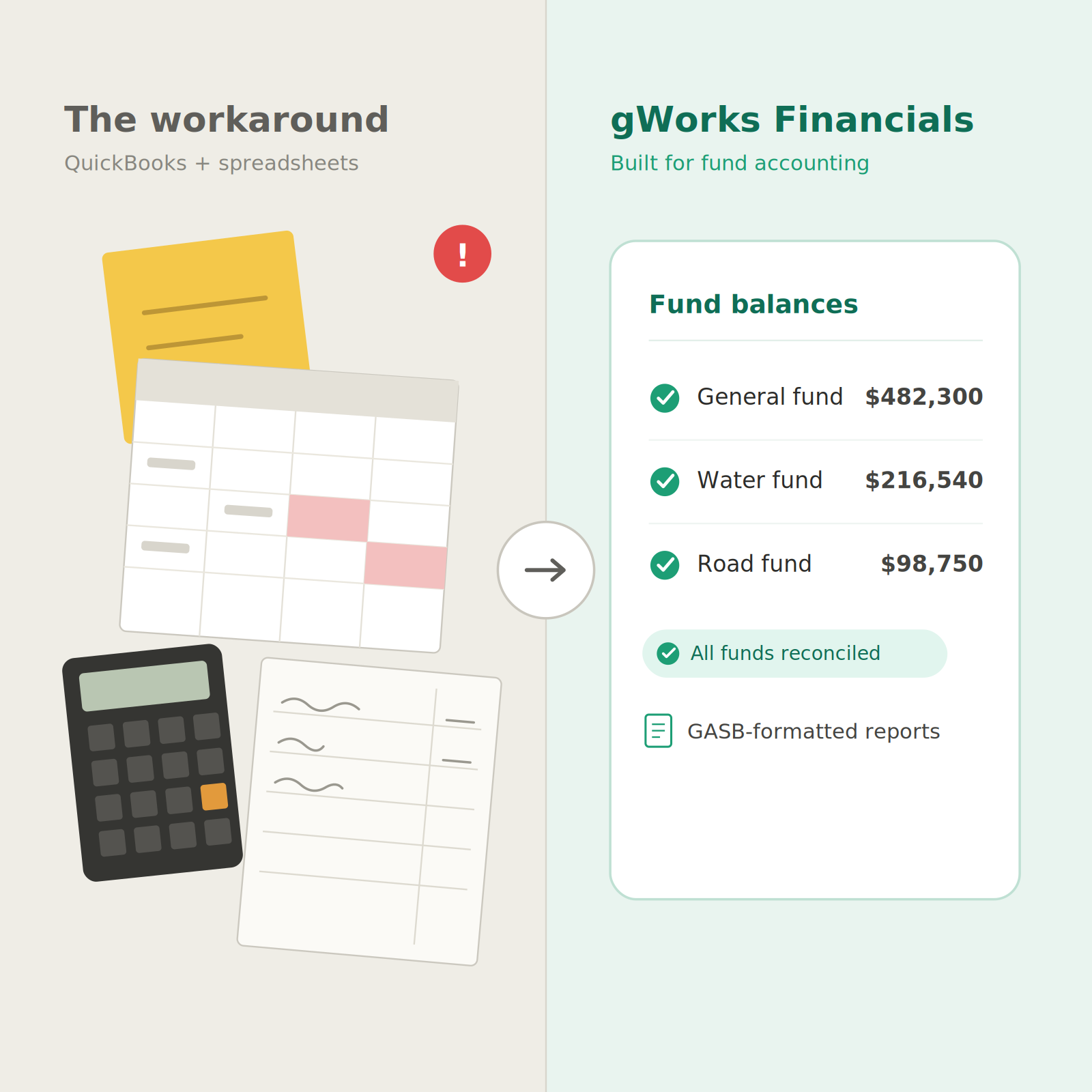
.png)


